

Here’s a scenario playing out across thousands of Shopify stores right now: A merchant discovers an AI tool that promises to build a mobile app in minutes. They’re excited, impressed, motivated, who wouldn’t be? They describe their store, watch the AI generate a working prototype, and within hours, they have something that looks like a real mobile app.
Then comes the hard part: actually getting it published in the iOS App Store and Google Play Store.
What happens next isn’t pretty. The first submission gets rejected. Then the second. By the third or fourth attempt, excitement and motivation has dwindled and they’re feeling dejected. The merchant realizes that having a working prototype and having an app in the app store are two completely different things.
Here’s the thing, they’re not alone. 95% of DIY app store submissions fail. Not because the apps don’t work, but because navigating Apple and Google’s publishing requirements is a specialized skill that most merchants, and AI tools, simply don’t have (yet).
This gap between “app ready” and “app published” can cost merchants months of delayed revenue and, in many cases, thousands in sunk costs.
Understanding the real process and timeline, not the marketing promises, helps you make better decisions about how to approach building your mobile app.
You’ve probably read about why a native mobile app matters for Shopify merchants, and you’re excited to start your journey. But, before you dive in, you need to understand three distinct approaches and their actual timelines:
- DIY with AI/basic builders: Fast prototype, but a long (or failed) path to publishing
- No-code, white-glove platforms: Realistic 6 -10 week end-to-end timeline
- Custom development: 6-12+ months and $50,000+
By the end of this guide, you’ll understand exactly what goes into turning your Shopify store into a published mobile app, how long each phase actually takes, and which approach makes sense for your goals and timeline. No hype, no shortcuts. Just the reality of what it takes to launch successfully.
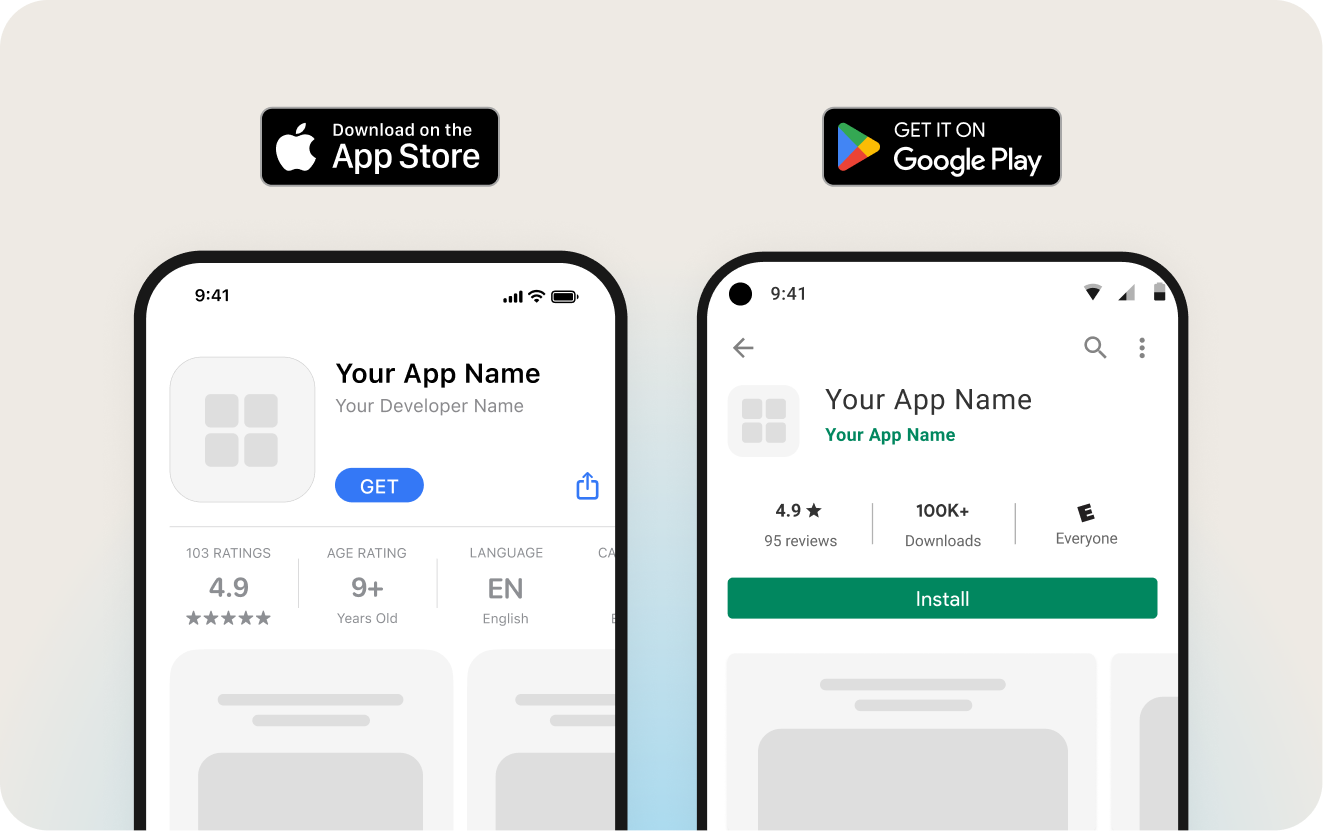
Prototype ≠ published app
Let’s start with what AI builders and basic app tools actually deliver versus what they promise.
The Marketing vs. Reality
What AI builders deliver:
- A functional prototype that often looks impressive
- Basic UI that mimics your store’s design
- Shopping cart and checkout functionality
- Something ready for testing in days or even hours
What they don’t deliver:
- App store compliance (privacy policies, proper metadata, required features)
- Submission expertise (navigating Apple and Google’s thousands of guidelines)
- Publishing support (dealing with rejections and reviewer feedback)
- Post-launch infrastructure (updates, compliance monitoring, ongoing support)
Your AI built prototype will look great, and will pass the testing phase of your build process. However, when it comes to the failure rate for app store publishing with AI platforms, it often comes down to a number of factors: privacy policy issues, missing features, metadata problems, and guideline violations.
Why This Gap Exists
App stores are gatekeepers, not automatic approvals
Apple and Google maintain thousands of evolving requirements. These requirements change regularly, sometimes without warning. One missing element, a checkbox you didn’t know existed, can derail your entire submission. Add to this the fact that reviewers have discretion in how they interpret guidelines, and consistent interpretation based on experience becomes crucial.
Technical capability ≠ publishing expertise
AI tools can generate code, but they can’t:
- Interpret vague rejection feedback from reviewers
- Understand reviewer expectations based on years of experience
- Navigate edge cases and policy gray areas
- Avoid getting caught in revision loops where imprecise prompts make things worse instead of better
The real cost
Merchants who choose the “fast prototype” route often spend 3-4 months trying to get published, completely losing the speed advantage that attracted them in the first place. Even more concerning, some never get published at all. That’s not just a timeline delay; it’s a complete failure to reach your customers through the channel you invested in building.
What goes into launching a successful native mobile app
Whether you’re working with a platform like Buildfire, custom developers, or DIY tools, every successful app launch requires three distinct phases. The difference is who handles what and how long each phase actually takes.
Phase 1: Building your app (2-6 weeks)
This phase transforms your Shopify store into a functional mobile app. Here’s what actually happens:
Shopify integration
The technical foundation gets established first:
- Connect your Shopify store to app infrastructure
- Sync product catalog, inventory, and pricing automatically
- Customize brand elements (colors, fonts, logos)
- Configure checkout and payment processing
For Buildfire merchants, this can happen in minutes with Shopify-optimized layouts that automatically sync your product catalogue, pricing, and images. Whereas DIY approaches require manual configuration and testing for each element.
Feature selection & configuration
DIY/AI Route: Start with a generated UI, then add features through custom code or “vibe-coding” (describing what you want and hoping the AI gets it right). You’ll test and debug constantly, iterating based on what works and what breaks. The challenge? You’re essentially testing features that have never been used in production (a real live app) before.
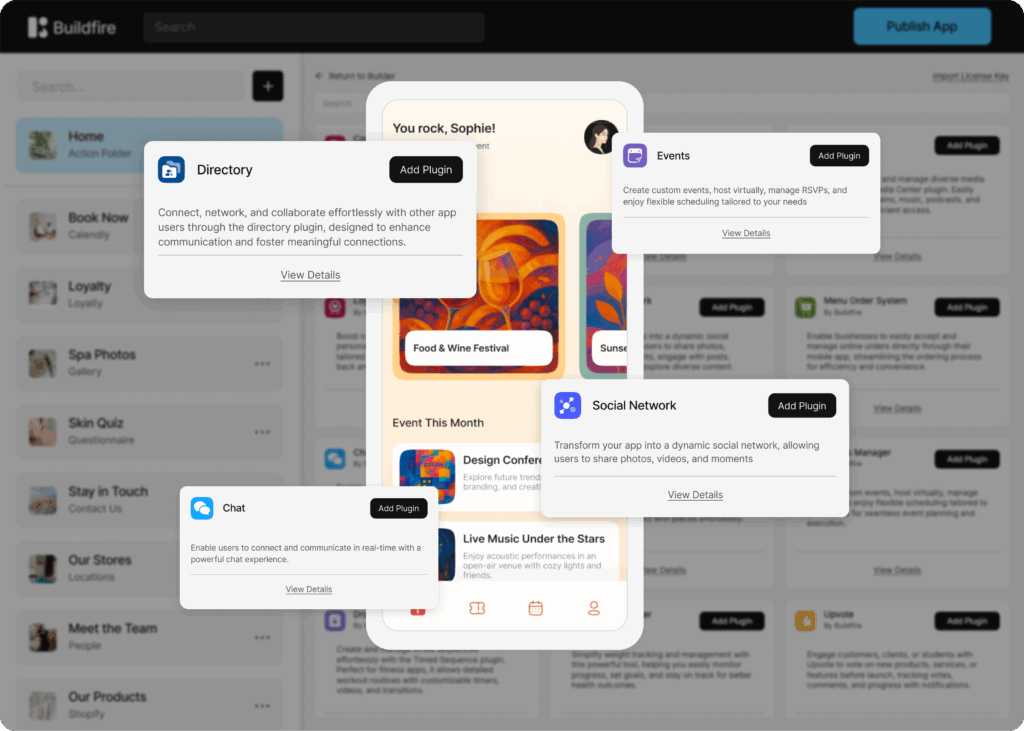
White-glove platform route: Select from pre-built, proven plugins like quizzes, questionnaires, community features, content management, and more. These aren’t experimental; they’re battle-tested features that thousands of apps use successfully. You can build the app yourself using the control panel, or work with Buildfire’s agency team that includes a dedicated project manager, developers, and designers who coordinate the build at a much more affordable price than custom development.
Custom development route: Start with detailed specifications and wireframes, then move through development sprint cycles. Expect extensive testing, QA, and back-and-forth revisions. Everything is built from scratch, which means every feature takes longer but will cost more.
Content buildout:
Regardless of approach, you’ll need to complete:
- Home page and login page design
- With Buildfire you can use pre-built templates and layouts or customize exactly what you want.
- Customer data import and user tagging
- Import your existing customer list and apply relevant tags so you can target them through promotions, notifications, geo-location, and more.
- About/brand content
- Embed your social feeds, create a media library, embed existing web content – like your blog, directly as a native screen in your app.
- Additional features or plugins to support customer retention
- Choose from nearly 100 plugins to build the app experience you want.
- Legal pages (terms of service, privacy policy)
- Critical for app publishing success
Timeline Reality:
- Basic shopping app with AI/DIY: 3-5 days for a prototype, weeks of iteration, AI conversations, and credits ($$) before it’s actually ready for submission
- Buildfire approach: Products, descriptions, and images are instantly pulled from your store; 3-6 weeks for a complete, tested build depending on the level of additional features and plugins you want
- Custom development: 8-16 weeks minimum for the first version
What you should have at the end of phase 1:
✓ Fully functional app in a staging environment
✓ All brand elements properly implemented
✓ Features tested and working
✓ Content complete and polished
✓ Ready for your final review before submission
Phase 2: Publishing to app stores (1-3 weeks)
This is where most merchants get stuck. While DIY publishing isn’t just clicking a button, it’s navigating a complex compliance gauntlet.
Pre-submission requirements
Before you can even submit, you need:
- Developer accounts with Apple and Google
- This takes $99/year (Apple) and a one-time $25 payment (Google) and can take 2-3 business days.
- A privacy policy that meets legal requirements and accurately describes your app’s functionality
- Optimized app metadata (title, description, keywords)
- App screenshots and preview videos
- App icons and assets in multiple sizes and formats
- Age rating determination
- Category and subcategory selection
The Submission Process
Once you’re ready to submit through the DIY method:
- Prepare the technical package for submission to both Apple and Google
- Upload your app build to both stores
- Complete full information architecture review
- Verify guideline compliance for both Apple and Google
- Submit for review and wait
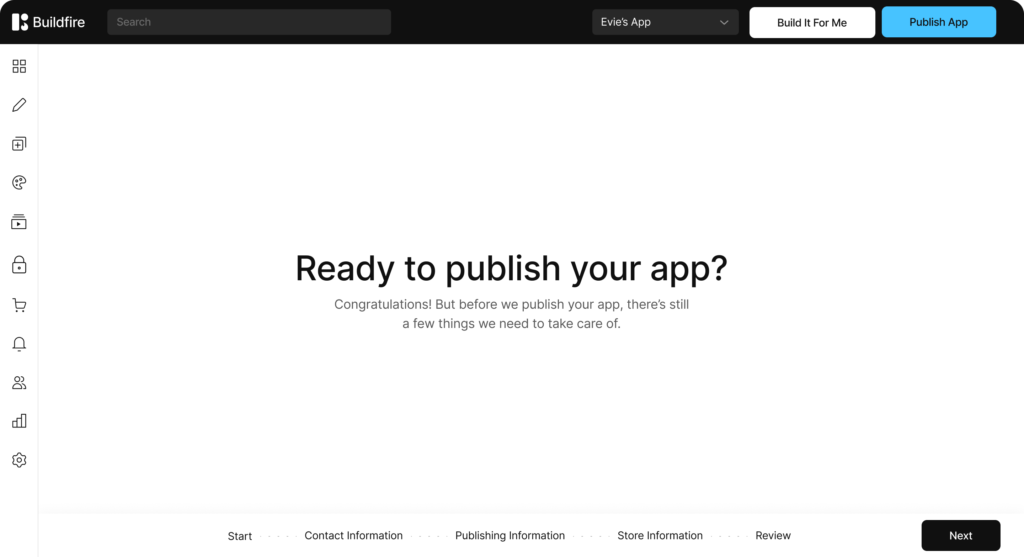
Once you’re ready to submit through Buildfire:
- Complete our quick & easy publishing wizard
- Confirm your contact information
- Upload your Firebase certificates
- Input your app title & description
- Select your age and maturity rating
- Review your information and submit
The Review Period
Apple typically responds within 24-48 hours (though it can take longer). Google usually takes 7-14 days. Both stores may request clarifications or changes.
If you’re doing a DIY submission and get rejected, you’ll need to iterate and resubmit, and each cycle adds more time. An app store publishing service absorbs those cycles for you.
If you’re submitting through Buildfire and there’s a flag on your submission, our publishing team will handle the review and immediate resubmission.
Where most merchants get stuck
The experience gap becomes critical here. Each rejection email is vague by design. Apple might cite “Guideline 4.3” without explaining what needs to change. Without experience interpreting reviewer feedback, merchants often make the wrong corrections and face rejection again.
The most common rejection reasons include:
- Privacy policy doesn’t match app functionality
- Metadata doesn’t accurately describe the app
- Missing required features for the selected category
- Guideline interpretation issues
- Technical problems not caught in testing
Timeline reality:
- DIY route: 2-8 weeks, with multiple rejection cycles being common
- Buildfire white-glove: 1-2 weeks, with a 95%+ first-time approval rate
- Custom development: 1-6 weeks (dependant on if the agency actually has publishing experience)
What success looks like:
Within 2 weeks, your app is live in both the iOS App Store and Google Play Store, ready for customers to download and use.
Phase 3: Growth & management (ongoing)
The work doesn’t stop at launch, it evolves into something different.
Immediate post-launch (first 30 days)
Right after launch, you’ll want to:
- Roll out marketing initiatives to drive awareness and downloads
- Monitor download numbers and analytics
- Respond to initial user feedback
- Fix any issues that emerge at scale
- Optimize your app store listing based on performance
- Start push notification campaigns
Ongoing operations (30 days to forever)
Long-term management includes:
- Content updates (new products, promotions, seasonal changes)
- Feature additions based on user behavior and needs
- Push notification campaigns for engagement, retention, and sales
- Analytics review and optimization
- Compliance monitoring as store policies change
The Platform Difference
DIY Route: You’re on your own for updates and changes. Many updates require technical expertise. There’s no support when things break. When app store compliance requirements change, your app could suddenly stop working. You’re left trying to read through complicated documentation of compliance changes and applying them to your app, then resubmitting.
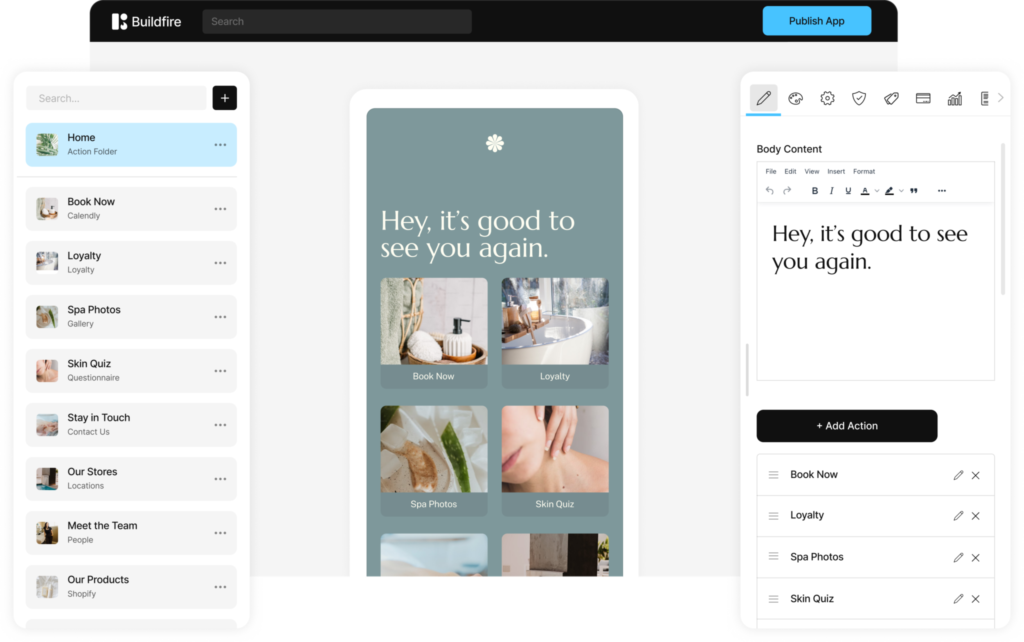
White-Glove Platform Route: Update content instantly through an easy-to-use control panel. Schedule and automate push notifications as you see fit. Add features from a proven marketplace. With Buildfire, you can soft publish updates to your app without having to go through the full app store submission process. Then, you’ll have a dedicated account manager for strategy and business growth.
Most importantly? You’ll benefit from our publishing team that constantly monitors any updates or changes to app story policies. They will ensure your app is always live and will support it fully should you need to do a hard publish back to the app stores.
Custom Development Route: Pay an ongoing retainer for maintenance ($2,000-10,000/month). Submit change requests that incur additional costs. Depend on development team availability for even small updates.
Timeline Reality:
This phase never ends, but the time investment varies wildly:
- Buildfire merchants: 2-5 hours per month managing the app, with support always available
- DIY: Unpredictable time requirements when issues arise
- Custom development: Managed service, but expensive ongoing costs
Speed vs. sustainability: the strategic choice
It’s natural to be attracted to promises of instant apps. Speed feels like a competitive advantage. But we need to ask: speed to what?
Fast prototype ≠ fast revenue
The real measure isn’t “how quickly can I see my app working in a test environment”, it’s “how quickly can customers download my app and generate revenue?”
By that measure, consider this:
- AI prototype could be ready in 2-10 days but could be stuck in publishing for 10 weeks = 10+ weeks to revenue
- Platform build taking 6 weeks but published in week 8 = 8 weeks to revenue
The faster route to revenue is the one that actually gets you published.
The Team Behind Your App
Who’s invested in your success?
DIY: No one. You’re on your own with documentation and forums when things go wrong.
Buildfire Platform: A dedicated account manager, a support team that’s always available, and a full development and design team building ongoing updates, improvements, and new features based on customer feedback.
Custom Development: Your development team, if you keep paying the retainer. But they’re not incentivized to help you grow, just to bill hours.
Your app isn’t a project with an end date. It’s infrastructure for your business. Choose partners who understand that and build accordingly.
Choose Your Timeline Wisely
Let’s recap the key insights from this guide:
- Prototypes can be built fast, but publishing is the real challenge
- 95% of DIY attempts fail at app store submission
- End-to-end timeline matters more than build speed alone
- Long-term infrastructure and support compound value over time
The Real Question
How quickly do you want to start generating revenue from your mobile app?
If the answer is “as soon as possible,” then choosing the approach with the highest publishing success rate and shortest real timeline makes sense, even if the build phase takes a bit longer.
Your path forward
If you’re ready to turn your Shopify store into a published mobile app that drives real revenue, you have two options:
Option 1: Continue researching and prepare for a 3-6 month DIY journey with uncertain outcomes
Option 2: Work with experts who can get you published in 8-10 weeks with 95%+ success rate
For most merchants building real businesses, Option 2 is the clear choice.
Ready to start the 8-week journey from Shopify store to published app? Book a discovery call to discuss your timeline and goals, or start your free trial through your Shopify account. See how Buildfire’s platform and white-glove publishing makes it easy to build and launch your own native mobile app for your store the right way.
Frequently Asked Questions
Can an AI tool really build a publishable mobile app in minutes?
It can build a prototype in minutes, but a prototype isn’t a published app. What looks like a real app within hours still needs the work that gets it into the app stores and in front of users — which is where the gap between the demo and reality opens up.
How long does it actually take to launch a native app from a Shopify store?
Realistically around 8 weeks. Building the app itself is roughly 2–6 weeks (Phase 1); the rest covers everything required to launch a successful native app beyond the initial build.
Why is there such a gap between AI app demos and real apps?
Because the demo shows a working prototype, not a store-ready product. The real cost and effort sit in app store publishing, polish, and driving actual user engagement — the parts the marketing skips over.
What goes into launching a real native app besides building it?
Beyond the 2–6 week build, you need to handle app store submission and everything that turns a prototype into a published, usable app that customers actually adopt — not just something that looks like a real app.