

The short answer: The fastest mobile app builders for SMBs in 2026 are Buildfire, GoodBarber, Appy Pie, AppMySite, Glide, Adalo, Thunkable, and Shoutem. Build time is rarely the bottleneck — store review (1–7 days on average) and asset preparation are. Choose a builder that handles submission for you.
The fastest mobile app builders can get a simple business app from blank canvas to submitted in a single week. The App Store review that follows takes 1–7 days on average, and that part is outside any platform’s control. If speed matters, pick a builder that handles store submission for you — and have your icons, screenshots, and copy ready before you start.
The build is rarely the slow part. Store review, assets, and approvals are. Every builder on this list can produce a working app in days; none of them can skip Apple’s or Google’s queue. What separates them is how much of the surrounding friction they absorb.
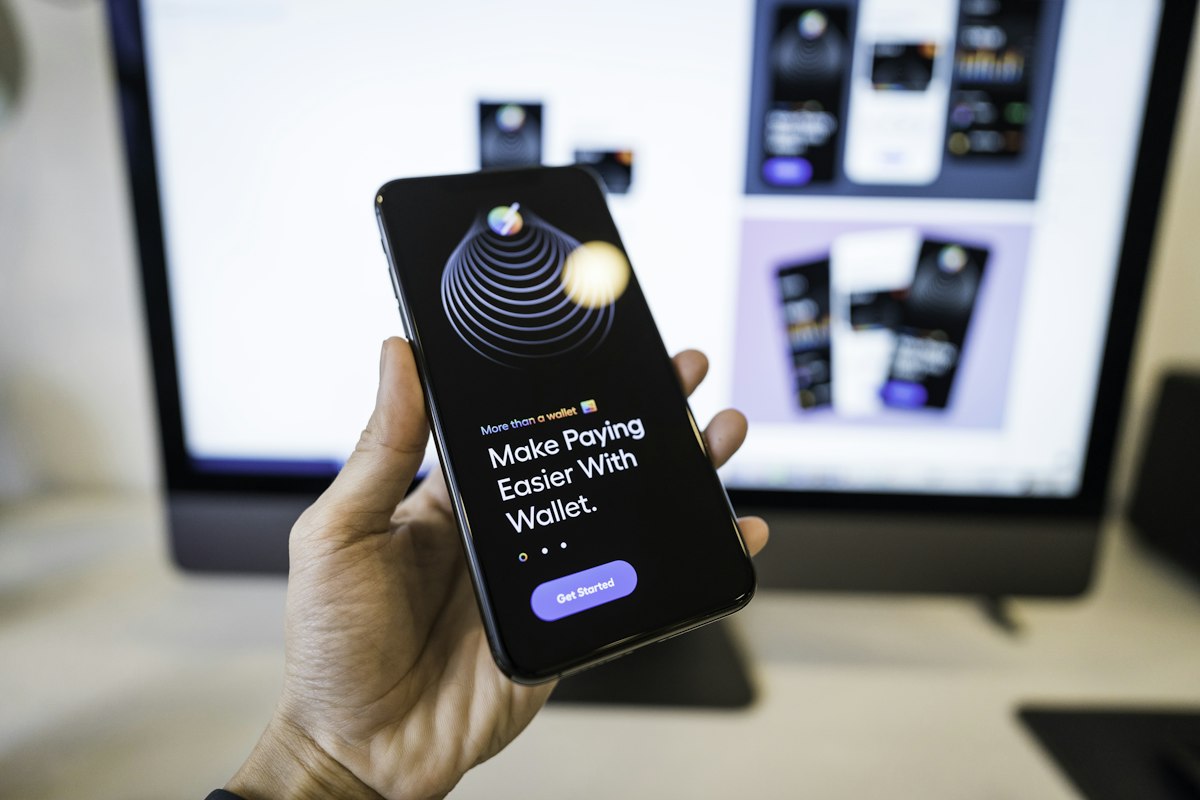
How these eight builders were chosen
Each platform on this list had to clear four hurdles:
- Build time. A non-technical SMB owner should be able to configure a functional app — not just a prototype — inside a week.
- Store review readiness. The output has to be a native or PWA binary that the App Store and Google Play will accept. Web-wrapped apps that fail review are not fast.
- Template and plugin quality. Starting from scratch is slow. A library of pre-built features compresses build time more than any other single factor.
- Post-launch update speed. Content changes and feature additions should not require a resubmission cycle every time.
Platforms that produce only PWAs, or that require code for every feature, were excluded. The goal is fast end-to-end deployment for a business owner who is not a developer.
What does “fast app deployment” actually mean?
Fast deployment covers three distinct phases that people routinely conflate:
- Build phase: configuring screens, features, branding, and content. With a good builder and prepared assets, this takes 2–5 business days for a simple app.
- Submission phase: packaging the binary, writing store listings, uploading screenshots, and submitting for review. Add 1–3 days if the builder does this for you; add a week or more if you are learning the process yourself.
- Review phase: Apple averages about 1–3 days for first-time submissions per Apple’s own published data; Google Play typically completes reviews in 1–7 days. Neither timeline is guaranteed, and rejections reset the clock.
A realistic timeline for a simple business app — say, a loyalty app for a gym or a menu app for a restaurant — is 2–4 weeks from start to live, with most of that time in submission and review, not in building.
1. Buildfire — best for SMBs that want store submission handled for them
Buildfire is a native iOS and Android app builder that handles App Store and Google Play submission as part of the service. You configure your app in the control panel, choose from 150+ plugins in the plugin marketplace, and Buildfire’s publishing team manages the submission. Updates to content and features can be pushed without a resubmission cycle, which is the most defensible speed advantage in the category.
Buildfire suits business owners — gyms, restaurants, churches, professional services — who want a fully native app without hiring developers. The Buildfire Agency is available for anyone who’d rather not build it themselves. Pricing runs across Standard, Growth, and Scale tiers; a 30-day free trial is available. Buildfire powers 10,000+ apps and holds a 4.8 rating on G2 and Clutch.
Honest limitation: Buildfire is not built for custom games, social networks in the Instagram mold, or highly bespoke UI. If your app needs behavior that doesn’t map to an existing plugin, you’ll feel that constraint.
Best for: SMB operators who want native iOS and Android apps, managed store submission, and a human account manager to call when things get complicated.
If you’re also thinking about what happens after launch, Buildfire’s mobile app user engagement platform covers push notifications, in-app messaging, and loyalty — all from the same control panel.
2. GoodBarber — best for content-forward apps and PWA flexibility
GoodBarber offers two products: a native app builder and a shopping app builder. Its template library is well-designed by no-code standards, and it supports both native iOS/Android output and PWAs. The builder is genuinely approachable for non-technical users, and it handles App Store and Google Play submission as part of higher-tier plans.
Honest limitation: GoodBarber’s plugin ecosystem is narrower than Buildfire’s, so apps with unusual feature combinations may hit dead ends. The shopping-focused tier adds cost if you only need a content or loyalty app.
Best for: Media brands, news outlets, and small retailers who want polished design out of the box and are willing to pay for it.
3. Appy Pie — best for absolute beginners on a tight budget
Appy Pie is one of the most widely used no-code app builders globally, with a drag-and-drop interface and a large template library covering dozens of business categories. It produces apps for iOS and Android and includes an AI-assisted design tool that can generate a basic app structure from a text prompt.
Honest limitation: Output quality varies. Some Appy Pie apps have had difficulty passing App Store review on the first submission, which adds time rather than saving it. The free and entry-level tiers include Appy Pie branding, which most businesses will need to upgrade to remove.
Best for: Sole traders and micro-businesses that need a functional app fast and have more time than budget.
4. AppMySite — best for businesses that already have a website
AppMySite converts WordPress and WooCommerce websites into native iOS and Android apps with minimal configuration. If you already have a site with content, products, and structure, AppMySite maps that content into a mobile app and can cut build time to a matter of hours.
Honest limitation: The app is only as good as the website. If your WordPress site has slow hosting, inconsistent content, or a messy structure, the app inherits those problems. AppMySite does not help with store submission on its entry plans.
Best for: WooCommerce store owners and WordPress-based businesses that want a native mobile companion app without rebuilding from scratch.
5. Glide — best for internal tools and data-driven apps
Glide builds apps from Google Sheets, Airtable, or Excel data. For internal tools — field service apps, inventory trackers, staff directories — it is exceptionally fast: connect a spreadsheet, configure the interface, share the link. Glide apps are primarily PWAs, which means no app store submission and no review wait.
Honest limitation: Because Glide apps are PWAs, they don’t appear in the App Store or Google Play. That’s fine for internal tools; it’s a significant limitation for consumer-facing apps where discoverability and the “download from the App Store” credibility signal matter.
Best for: Operations teams and small businesses building internal tools where a PWA is sufficient and store presence is irrelevant.
6. Adalo — best for startups prototyping a consumer app
Adalo is a visual app builder that produces native iOS and Android apps with a database-backed logic layer. It’s more powerful than most no-code tools — you can build custom screens, relationships between data, and user authentication without code — but that power comes with a steeper learning curve.
Honest limitation: Adalo apps with complex data structures can run slowly at scale. It’s a strong prototyping and early-stage tool, but businesses expecting high concurrent users should evaluate carefully before committing. Store submission is self-managed.
Best for: Startup founders and product managers who want to validate an app concept with real native output before investing in custom development.
7. Thunkable — best for builders who want to add logic without hiring a developer
Thunkable uses a block-based programming interface (similar in concept to MIT Scratch) to let non-developers add conditional logic, API connections, and custom behavior to their apps. Output is native iOS and Android. It has a strong community of independent builders who share templates and components.
Honest limitation: The block-based logic is more accessible than code, but it’s still logic. Business owners who want to configure, not program, will find the learning curve steeper than platforms like Buildfire or Appy Pie. Store submission is self-managed.
Best for: Technically curious SMB owners or junior developers who want more control than a pure no-code tool without committing to full custom development.
8. Shoutem — best for community and fan apps
Shoutem has been in the no-code app space since 2011, making it one of the oldest platforms on this list. It specializes in community apps — news feeds, social layers, event listings — and its pricing is straightforward. It handles App Store and Google Play submission.
Honest limitation: Shoutem’s interface and template library feel older than newer entrants. Feature development has been slower in recent years, and businesses with complex requirements may outgrow the platform quickly.
Best for: Sports clubs, fan communities, local media, and neighborhood organizations that need a community app with a predictable cost and managed submission.
Side-by-side comparison
| Builder | Output type | Store submission managed | Update without resubmission | Best for |
|---|---|---|---|---|
| Buildfire | Native iOS & Android + PWA | Yes | Yes | SMB operators, any vertical |
| GoodBarber | Native iOS & Android + PWA | Yes (higher tiers) | Partial | Content and retail apps |
| Appy Pie | Native iOS & Android | Yes (paid tiers) | Partial | Budget-first beginners |
| AppMySite | Native iOS & Android | Higher tiers only | Yes (content synced from site) | WordPress/WooCommerce sites |
| Glide | PWA only | N/A | Yes | Internal tools |
| Adalo | Native iOS & Android | Self-managed | Limited | Startup prototyping |
| Thunkable | Native iOS & Android | Self-managed | Limited | Logic-layer builders |
| Shoutem | Native iOS & Android | Yes | Partial | Community and fan apps |
How to choose the right fast mobile app builder
Start with one question: do you need your app in the App Store and Google Play, or will a PWA or internal tool serve your users?
If you need native store presence — and most SMBs do, because it’s where users expect to find and download apps — rule out Glide immediately. Then ask whether you want store submission managed for you. If yes, your list is Buildfire, GoodBarber, Appy Pie, and Shoutem. If you’re comfortable self-submitting, Adalo and Thunkable open up.
If you already have a WordPress or WooCommerce site with real content and products, AppMySite will get you to a working app faster than anything else on this list — because most of the content work is already done.
Finally, think past launch. The builders that let you push content updates, new features, and push notifications without triggering a resubmission cycle will cost you less time per month once you’re live. That compounding advantage is worth more than a slightly faster initial build.
Realistic timeline: from idea to live app
Here’s what a typical timeline looks like for a simple SMB app — a gym loyalty app, a restaurant ordering app, or a professional services directory — using a managed-submission builder:
- Days 1–2: Asset preparation — app icon (1024×1024px), screenshots for each device size, store description copy, and category selection. Most delays here are avoidable with a checklist.
- Days 3–5: App configuration — choosing plugins or features, adding branding, loading content, and testing on a preview build.
- Days 6–7: Submission — your builder packages the binary and submits to both stores. If you’re self-submitting, add 1–3 days for learning the process.
- Days 8–14: Review — Apple and Google review independently. Apple’s App Store typically reviews apps within 1–3 days for straightforward submissions; Google Play typically within 1–7 days. Rejections reset this window.
- Day 14–21 (live): App approved and visible in stores.
Two to three weeks is a reasonable expectation. One week is possible if your assets are ready and you get a clean first-pass review. A month is not unusual if you hit a rejection or submit incomplete store metadata.
What to have ready before you start building
The single fastest thing you can do to speed up deployment is prepare your assets before you open the builder. You’ll need:
- App icon at 1024×1024px with no rounded corners (the stores add those themselves)
- Screenshots for iPhone, iPad (if supporting), and Android phone at minimum
- A short app name (under 30 characters on the App Store), a subtitle, and a keyword field
- A privacy policy URL — both stores require one
- A support URL and a contact email address
- Your developer account registered and active ($99/year for Apple, $25 one-time for Google)
Builders that handle submission for you will ask for all of this. Builders that don’t will let you start building without it — and then you’ll stall at submission time.
If you want to go deeper on what happens after your app is live, Buildfire’s built-in engagement tools cover the retention mechanics most business owners don’t think about until it’s too late: push notifications, segmentation, and automatic re-engagement.
Frequently asked questions
How long does it take to build and launch a mobile app with a no-code builder?
With a managed no-code builder like Buildfire or GoodBarber, most simple business apps take 2–3 weeks from start to live. The build itself takes 3–5 days; store submission and review add another 1–2 weeks. Having your app icon, screenshots, and store copy ready before you start is the single biggest time-saver.
Can a mobile app builder really get my app into the App Store fast?
A builder that handles App Store submission for you removes 1–3 days of self-learning from the process. However, Apple’s review team controls the timeline after submission — typically 1–3 days for straightforward apps. No builder can guarantee faster review times; they can only reduce the friction on your end.
What is the difference between a native app and a PWA for deployment speed?
Progressive Web Apps (PWAs) skip the App Store and Google Play review process entirely, so they can technically go live within minutes. Native apps require store submission and review, which adds 1–2 weeks. The tradeoff: native apps appear in app store search results, can access device features like push notifications more reliably, and carry more credibility with users.
Do I need a developer account before I start building my app?
Yes, if you want your app in the App Store or Google Play. Apple charges $99 per year for the Apple Developer Program; Google charges a one-time $25 fee for the Google Play Console. Registration can take 1–3 days to process. Apply before you start building so the account is ready when you submit.
Which mobile app builder is best for a restaurant or gym?
Buildfire is purpose-built for this use case — it has specific plugins for loyalty programs, push notifications, and content management that suit fitness studios and food and beverage businesses. Buildfire also handles App Store and Google Play submission, which is the most time-consuming part for a business owner managing it alone.
What causes most app store rejections, and how do they affect deployment speed?
Common rejection reasons include missing privacy policies, placeholder content left in the app, incomplete metadata, and apps that don’t function as described. Each rejection resets the review clock. The fastest way to avoid rejections is to test your app thoroughly on a real device, read the App Store Review Guidelines before submitting, and use a builder that has experience with the submission process.