

The growth of mobile technology has made it easier than ever for anyone to make their own app. Developing your own app can be a great way to make money, build a portfolio, or simply create something you’re passionate about.
In this article, we’ll provide an overview of the process involved in creating your own app in 2025—from start to finish. We’ll discuss everything from the initial idea and planning to designs and submissions for approval. With this step-by-step guide, you can make your own app with confidence and make a real impact in the mobile space. Let’s get started!
Benefits of Making an App in 2025
Making your own app offers a number of unique advantages. With the latest tools and technologies, building an app is easier than ever before.
This means you can make your own apps with minimal effort and cost. Additionally, there’s a large market for mobile applications, so developing an app can be a great way to make money for your existing business or new venture.
Flexibility
Modern app development is highly flexible. You have the ability to make the app as simple or complex as you like and add features or make tweaks to make it more functional.
Furthermore, you don’t have to worry about coding from scratch—there are plenty of tools and services available that make building an app easy for non-technical users. If you do need help with any aspect of the development process, there are professionals available who can provide assistance when needed.
Low Investment
For those who are just starting out, the cost of making an app in 2025 is relatively low.
You don’t need to make any large investments, as most of the tools you need are available for a reasonable price. Just make sure you steer clear of free app development tools. While these might sound appealing, they’re extremely limited and not viable for anyone who wants to make an app for real users. They’re fine if you’re just creating an app for fun or as a hobby, but for business use, you’ll need a premium solution.
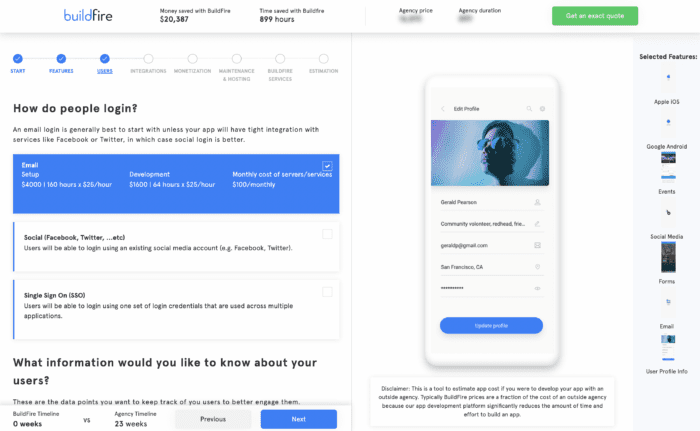
Note: Use our app cost calculator to see how much money you’ll save by building an app on your own.
Tools for App Creation
When it comes to making your own app, there is a wide selection of tools available.
Popular development tools such as Xcode and Android Studio make the coding experience much more enjoyable than years ago. With that said, these tools are designed specifically for developers. If you don’t know how to write code, these won’t work for you.
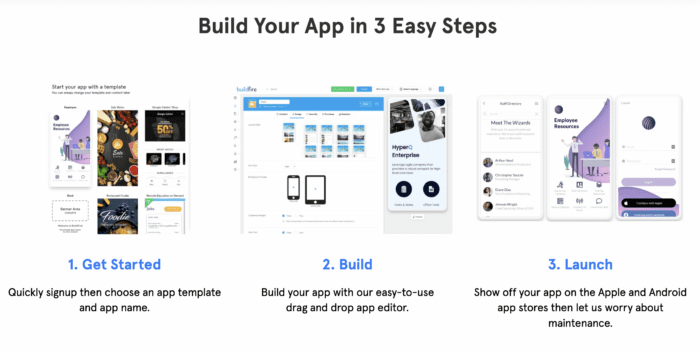
Fortunately, you can use no-code platforms like BuildFire to make your own app. These types of solutions use plug-and-play functionality on a drag-and-drop interface to fully customize the look, feel, and use of your app.
Virtually anyone can create their own app using this method without writing a single line of code.
Access to Large Markets
Once you’ve created your app, you can make it available to real users across the globe.
There are millions of users worldwide browsing for apps and downloading apps on the Apple App Store and Google Play Store. For existing businesses, you can use this to expand your reach while simultaneously appeasing your existing customer base.
Reasons You Should Make Your Own App
If you’re on the fence about making your own app this year, here are some of the top reasons that you should take into consideration:
- Increased Visibility: Creating your own app gives you a chance to boost your visibility among customers and potential clients. By having an app, people will be able to access your services or products more quickly and conveniently.
- Establish Your Brand: An app provides you with a platform to showcase what makes you unique and stands out from the competition. You can customize your app with features and content that reflect your brand’s mission and values.
- Develop a Loyal User Base: Your app gives you the opportunity to create an ongoing relationship with users and build loyalty among them. By offering exclusive deals, discounts, or other benefits through the app only available to users, you can reward customers and foster a sense of community.
- Reach More Customers: Developing an app can help you reach a larger number of customers than you would if you relied on traditional methods such as television commercials or print ads. It also allows you to target specific demographics to make your efforts more effective.
- Create Unique Experiences: Apps allow you to offer a unique experience that customers can’t get anywhere else. You can create interactive content, participate in virtual events, or even design an app-exclusive mini-game—anything to keep your customers engaged and entertained while they use your service.
- Monetize Your App: If you design the right kind of app or utilize mobile ads, you can monetize your app and generate income. This makes investing in an app a much more attractive proposition for businesses who want to make money as well as grow their brand.
Creating your own app can be a great way to establish your brand and build a loyal customer base. With an app, you can reach more customers than ever before and create unique experiences that keep them coming back. Additionally, apps can be monetized to generate income. Investing in an app now could be the best decision you make for your business.
The Basics of Making an App
Before you dive into the build, it’s important that you have a firm grasp of what this process will look like at a higher level.
Step 1 – Identify a Problem and Create a Solution
The first thing you need to do is identify what problem your app will solve and how it will benefit users. You should also consider whether or not there are similar apps already available on the market that could offer a better solution.
Step 2 – Identify Your Audience
Before you start designing your app, identify who your target audience is and what features they want. Knowing this information will help you make decisions about the type of design and functionality that will be most attractive to them.
Step 3 – Choose Your Development Platform
Deciding how you want to make your app depends largely on your existing technical skills. Rather than learning how to code, you can simply use a no-code app builder and do everything on your own.
Make sure your development supports the operating system or systems you want to launch on. The two main options for mobile apps are iOS (Apple) and Android (Google). Depending on your target audience, you may want to focus on one or both of these.
Step 4 – Develop Your Design and Start Building
Once you know who your target audience is and what platform they use, it’s time to start designing the look and feel of your app. Consider any additional features that might be useful for users as well.
Don’t worry about building all of your features at once. Focus on the features that our app needs for its primary purpose. This concept will help you get to market quicker, and you can always add new features down the road.
Step 6 – Test and Launch
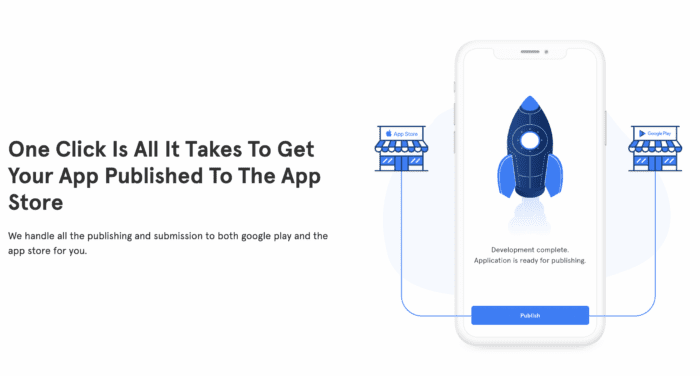
Before launching your app, test it on different devices to make sure it works properly. Once you’ve ironed out any issues, you can submit your app to the App Store or Google Play Store for approval.
What Platforms to Use for Creating an App
When it comes to creating an app, there are a few different options available. You can use coding languages like JavaScript and HTML/CSS, or you can make use of platforms such as React Native or Flutter.
With that said, the easiest way to make an app on your own is by using a no-code app builder.
No-code app builders are excellent alternatives for those who don’t have the coding knowledge to create their own apps. This type of platform allows you to quickly and easily create an app using drag-and-drop tools, customizable templates, and other features. Additionally, many no-code app builders allow you to monetize your app and generate income.
BuildFire: The Best Way to Make Your Own App
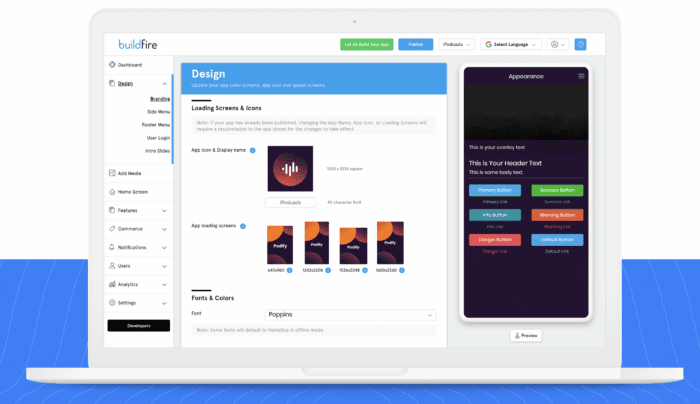
BuildFire is an app development platform that enables businesses to quickly and easily create their own custom mobile apps. The platform provides a comprehensive set of tools, allowing users to design, develop, and deploy their very own mobile applications faster than traditional development.
The software offers a variety of options for creating an app. This allows users to create an app that meets their specific needs and accommodates their user base.
BuildFire also provides a host of features ranging from push notifications to third-party integrations and more. These make it easier for companies to manage engagement with their customer base. You can use the platform to create an in-app shopping experience, allowing for both digital and physical goods to be purchased. This facilitates a wide range of customization opportunities, from selling products directly from within the app itself to providing membership services or loyalty programs.
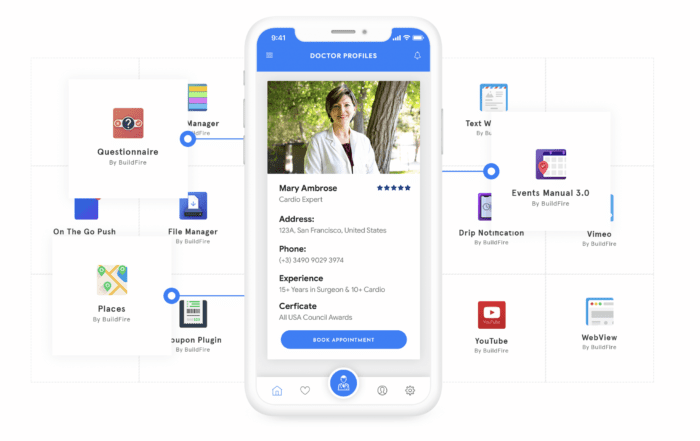
In addition to the simplicity of the build, you’ll also have access to a powerful analytics suite to help track user engagement and overall usage of the app. This data can be used to inform product and feature development, as well as provide feedback on how your target audience is using the app. It also helps businesses identify areas for improvement and focus their efforts accordingly for maximum returns.
Overall, BuildFire makes it easy for companies to create their own custom mobile apps, providing a variety of features and customization options. The platform’s analytics suite helps businesses track user engagement and identify areas for improvement, enabling them to create a better overall experience for their users. With BuildFire, companies can quickly and easily create an app that meets the specific needs of their customer base.
Design Considerations to Take Into Account During Development
Design is an integral part of any development process. Here are some important design considerations that should be taken into account when developing any mobile app or piece of software in 2025:
- Usability: Is the app easy to use? Does it require a steep learning curve? Are the controls intuitive? Are the menus easy to navigate?
- User Experience: How do the app and interface affect the overall user experience? Is it a pleasant and rewarding experience, or is it cluttered and cumbersome?
- Design Aesthetics: Does the design of your app have an aesthetic appeal that will draw users in? Or is it messy and unattractive?
- Device Compatibility: Is the product compatible with all different types of mobile devices, such as smartphones and tablets for iOS and Android?
- Accessibility: Is the product easily accessible to all users, including those with disabilities or impairments?
- Security: How secure is the app from data breaches and other malicious attacks?
- Branding: Does the app reflect the brand in a positive way? Are there any elements that could be improved to better represent the company’s ideals?
By taking the time to consider each of these design considerations, you can ensure that your mobile app is well-designed and accessible to all types of users. This will help you make an app that benefits everyone involved.
Final Thoughts on Making Your Own App
Creating an app doesn’t have to be a difficult task. With the right tools and resources, anyone can create their own app with minimal effort. Whether you choose to use code or a no-code app builder, you can create an app that will help your business reach more customers and generate income.
Making your own app in 2025 can be a great way to make money, build a portfolio of accomplishments, or simply make something you’re passionate about. With this guide, you should now have the knowledge necessary to make an impact in the mobile space. So dive into the process and make your dreams come true! Good luck!
Frequently Asked Questions
Can I make my own app without coding?
Yes. The growth of mobile technology and app creation tools has made it easier than ever for anyone to build their own app, from the initial idea through design and app store submission.
Why make your own app?
Common motivations include making money, building a portfolio, or creating something you’re passionate about. An app also offers flexibility, low investment compared to traditional software, and access to large app store markets.
What does making an app involve?
The full process runs from the initial idea and planning through designs and app store submissions. This guide gives an overview of each stage so you know what to expect start to finish.
Is it expensive to make your own app?
It doesn’t have to be. Low investment is one of the main benefits highlighted here — modern tools let you build and launch without the large budgets traditional development once required.