

Looking to design your own iOS app, but not sure what programming language to learn?
You’ve started with the right question.
Before you can build iOS apps, you need to decide what programming language you want to code it in.
You see, not all programming languages are created equal, and the results you get are determined in large part by the framework you choose to use.
Key Takeaways
- Language Choice Matters: The programming language you choose will significantly impact your app’s performance and development process.
- Frameworks Influence Outcomes: Different frameworks offer varied functionalities and ease of use, affecting your app’s final result.
- Time Investment: Developing an app requires a substantial time commitment, often exceeding 300 hours for a simple app.
- Alternative Solutions: Tools like Buildfire can simplify app creation with a drag-and-drop interface, reducing the need for extensive coding knowledge.
- Device Compatibility: Ensuring your app works across various iOS devices and operating systems is crucial for success.
In this article, I’ll explain exactly what programming language options you have for coding iOS apps. We’ll look at the ups and downs of programming in those languages, and resources for learning them.
Finally, we’ll cover strategies you can use to skyrocket your learning speed and get your app to market in record time.
Think about your app costs. But first, we need to consider a basic question. You see, the “best” iOS programming language to learn depends entirely on the goals you’ve set forth for your app.
How to know if you need to code your app from scratch
Before you start learning a programming language, you need to understand the goals of the app you’d like to develop.
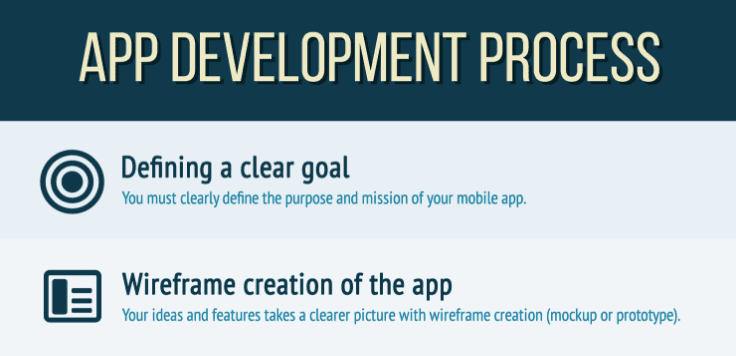
Start by looking at what you hope the app will accomplish. Are you looking to provide additional features for an existing business? Make a side income? Disrupt an industry?
These are all different types of apps, and they have massively different requirements for the time and expertise required.
Based on what you want to do, you can make a general estimate of the total number of hours it’ll take to develop the app.
You can expect a minimum of 300 hours of coding time for a simple app, with the average app taking around twice that.
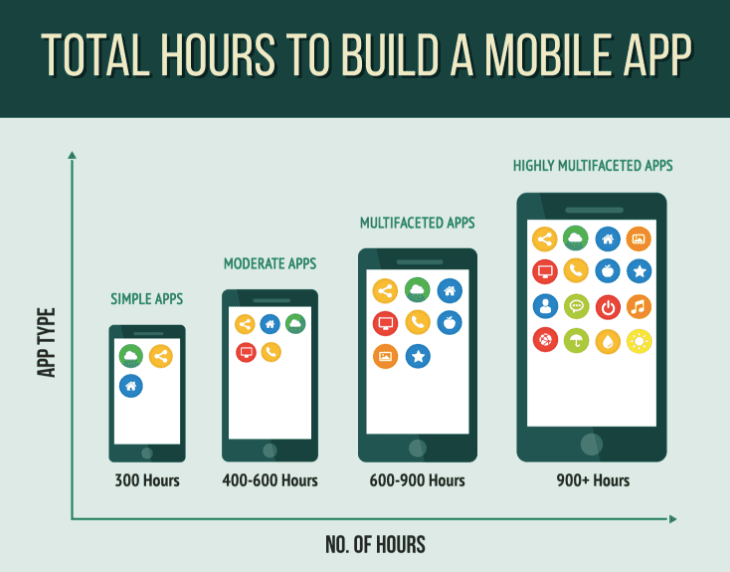
(Remember this doesn’t include any time spent learning how to code or developing demos. It’s only the actual development process of the final app.)
Next, think about what your personal goals are for the app. There are no right or wrong answers, but you need to be honest with yourself.
Do you aspire to become an app developer, or is this a one-off project? Do you plan on designing a number of apps over the course of the next few years?
Knowing your goals will help you understand the time investment you can put into making the app a reality.
As you’ve seen, there’s a ton of time required to make a good app.
With that barrier in mind, I’d like to honestly put forth our product, Buildfire. It’s a simpler way to design apps quickly. Unlike coding, it uses a drag-and-drop interface that’s easy to use.
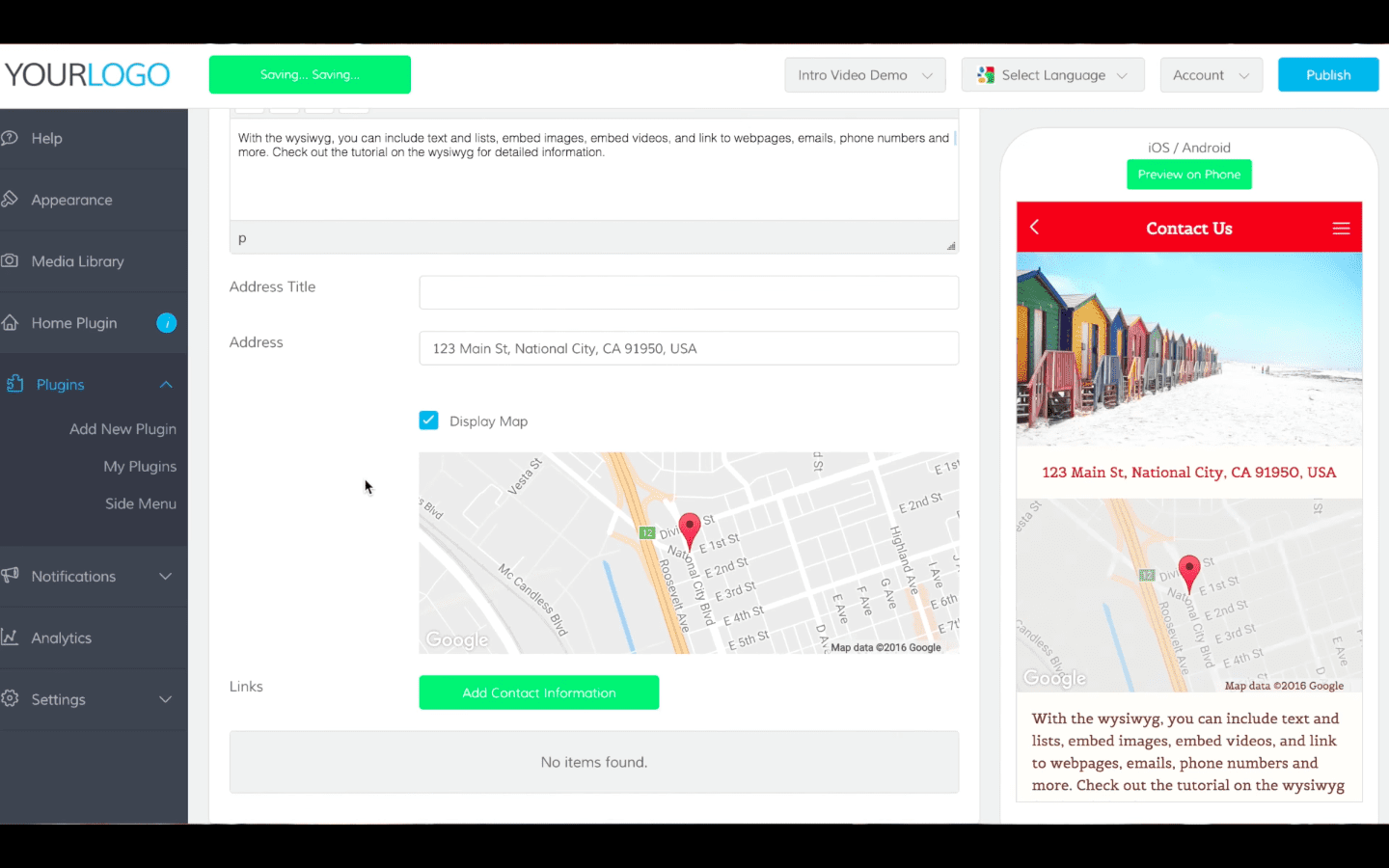
This isn’t just sales pitch, though. You don’t have to use our software to benefit from this advice.
Here’s the problem I see all the time. Someone has a brilliant idea for an app, and they want to get started immediately by coding it themselves.
After about a week, he or she is overwhelmed with the technology. Many give up, but those who push through spend months rewriting code they hacked out before learning it properly.
Usually, these people either give up entirely or end up outsourcing the project for thousands of dollars.
With Buildfire, you can add dozens of different types of functionalities to your app without worrying about bugs in your code or a new software update making everything obsolete.
Imagine you wanted to make a nice pasta for dinner, but instead of buying spaghetti you buy flour, eggs, and a pasta maker. Instead of a jar of sauce, you buy tomatoes and basil.
It’ll be a frustrating process to make all your ingredients from scratch. Worse, the final meal won’t be very good. You need practice and experience to make something that tastes good.
Coding an app is no different. I’ve seen too many people’s dreams die because they insist on doing everything themselves.
If you’d rather do it on your own, though, you need to understand the requirements for starting an iOS app development project.
Prerequisites to coding your first app
Before you get started with a language for coding, you’ll need to set up the right tools.
Apple has its own software for building iOS apps called Xcode. It serves as an editor for your code, as well as a debugging tool and way to preview your apps before you launch them.
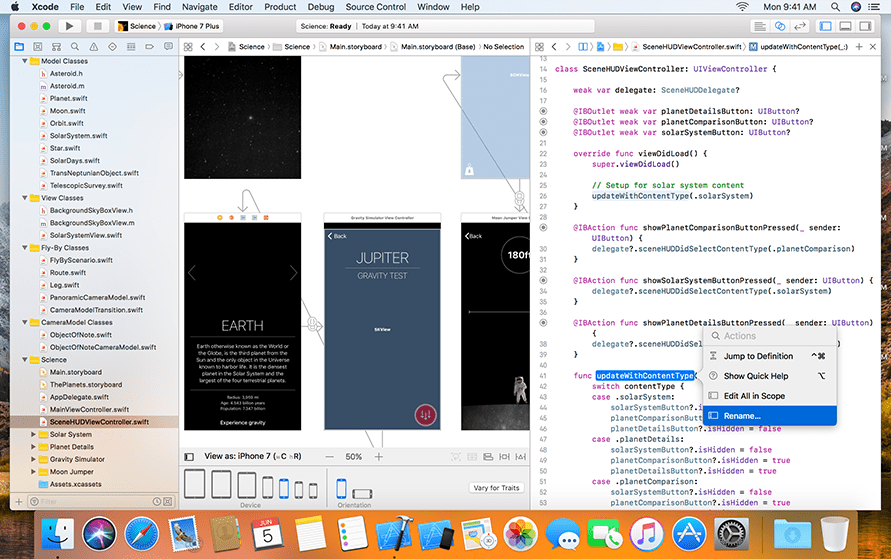
Xcode is free to download, but it only runs on Mac computers, Apple platforms, and machines running on the iOS operating system. One of the most powerful modern language features of Xcode is the ability to preview your apps through the system.
Currently, there are over a dozen iOS devices available, and each one takes up less than 20% of the overall market.
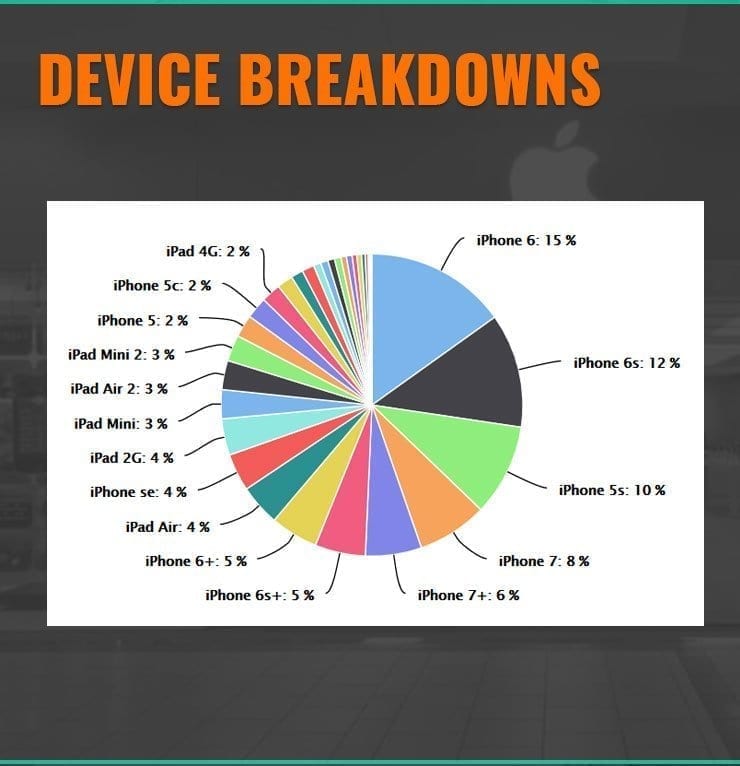
This makes app development challenging because different devices have different screen sizes, resolutions and capabilities.
An app that requires a retina screen resolution, camera, or phone capabilities won’t work with every device.
Compounding the problem is the complexity of operating system usage. The most recent data from Apple suggests that about one in nine users is using outdated iOS software.
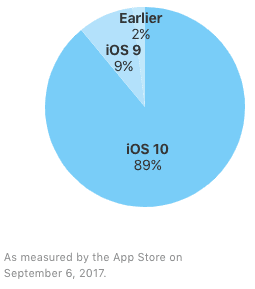
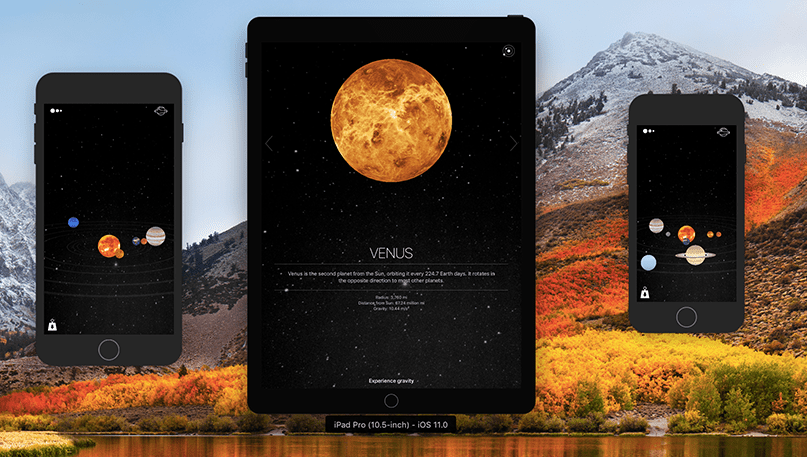
With all this confusion, Xcode makes the process of app testing easier. You can simulate a variety of devices and operating systems to adjust your development accordingly.
If you’re going to be producing apps for the app store through Xcode, you’ll need to subscribe to submit apps. It will cost $99 to get started before you can sell to the app store.
You’ll also need to go through the approval process by Apple before the app becomes available to download or purchase.
This is important when you’re just starting because you’ll need to have an in-depth understanding of Apple’s complex guidelines on font usage, spacing, and other details.
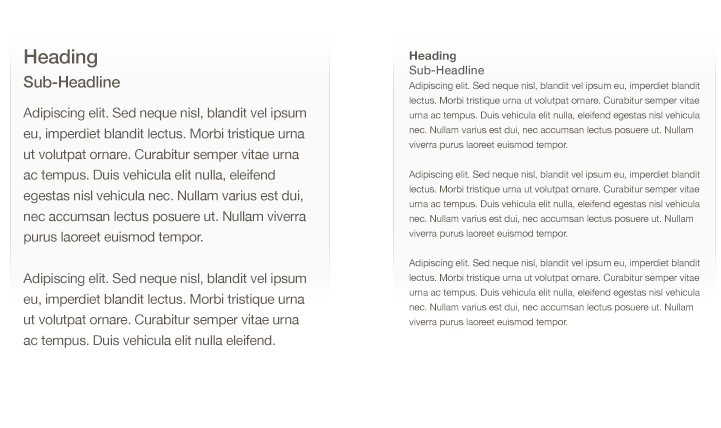
As you design, ensure you use best practices and build an app that works well
across different devices.
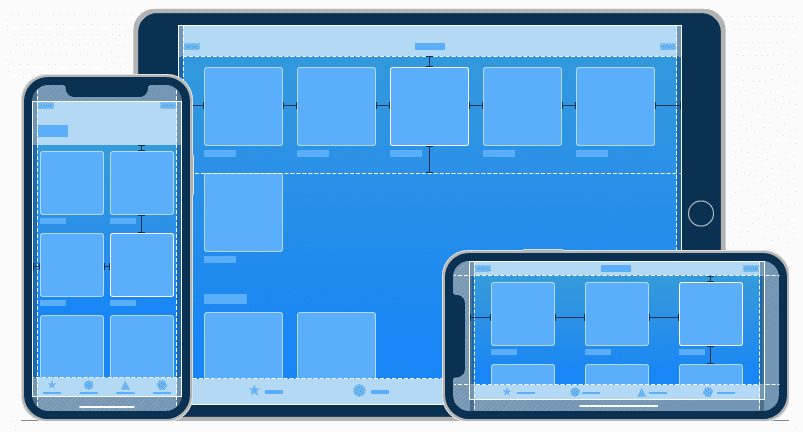
Finally, you’ll need to make sure you use Apple’s native controls to make your apps look their best.
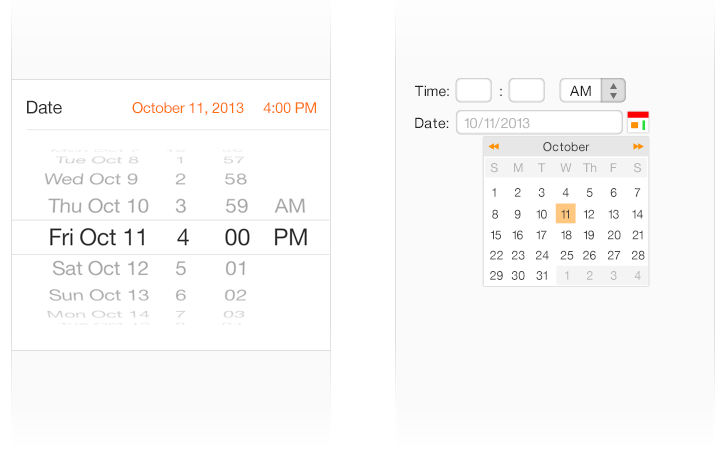
These things may sound trivial, but each element plays a role in whether or not your app is approved by Apple.
You must have a good understanding of Apple’s approval guidelines to ensure your hard work gets rejected from the app store at the last minute.
Now that you know what’s required to learn and set up before starting development, let’s dive deep into the languages used to code iPhone apps.
The best
Comparison of Objective-C and Swift
| Feature | Objective-C | Swift |
|---|---|---|
| Introduction | Developed by Apple in the 1980s, based on C, object-oriented | Launched by Apple in 2014, designed to be easier and more modern |
| Ease of Use | Complex syntax, intimidating for beginners | Easier syntax, beginner-friendly |
| Current Usage | Still used, but less preferred | Preferred by Apple, becoming more widespread |
| Future Prospects | Considered outdated, like learning to build carriages | Fastest growing language, full support of Apple |
The final word on coding languages for iOS apps
In this article, you’ve learned the basics for getting started with your iOS app.
You’ve learned that coding your own app isn’t the easiest, fastest, or cheapest way to get your app to market.
Coding an iOS app yourself, especially if you’re new to development, is tedious and time-consuming.
It can be fun if you’re casually looking to pick up an interesting hobby on the side, and it’s vital if you want a career in the world of app development.
But if you’re looking at coding as a means to an end (like bringing an app idea to life), you’ll find the process of learning to code frustrating, and you’ll almost certainly fall behind schedule.
You’ll also need to learn the background behind development. You’ll need to learn how to code, use new software, and get set up with Apple’s strict app development guidelines.
If you’re looking to bring an app idea to life quickly, I recommend looking for a simpler framework to start with.
| Language | Advantages | Disadvantages |
|---|---|---|
| Objective-C | Established, lots of resources | Older, less modern syntax |
| Swift | Preferred by Apple, modern | Newer, fewer legacy resources |
To speed up the coding process, I recommend you go with an interactive training program like Codecademy, Treehouse, and Code School. Those sites will give you the skills you need, while providing direct and immediate feedback that will make your coding skills stand out more quickly.
In addition to the information related to iOS app developing, don’t overlook building mobile apps for Android. Without Android mobile apps, you’ll be neglecting a huge portion of the market. So try to learn a language that will also translate to Android app development. Look for the most versatile programming languages to build cross platform apps beyond Apple operating systems and native iOS apps.
Finally, you should look to focus on the aspects of coding most relevant to your app development.
Don’t waste time on the few aspects that aren’t really that important. To get your app to market fast, focus on the biggest features that will help create an app your users will love.
Now, get out there and design the app of your dreams!