

HR departments of all sizes are commonly faced with the same problems. They all have a backlog of responsibilities that eat away at their time and resources.
But modern mobile technology makes it easy to streamline HR processes. By automating repetitive HR tasks, you can cut costs, reduce errors, and boost productivity company-wide.
When implemented correctly, HR process automation delivers compounding efficiency throughout your entire organization. Not only does it save time within your HR department, but the rest of your staff also benefits. Instead of waiting hours or potentially days for simple HR requests, they can access resources and get help in seconds through HR automation and self-service tools.
Read on to learn more about the top HR tasks and processes that are practical and easy to automate. I’ll also show you some real examples of how it works from your own custom mobile app.
Key Takeaways
- Efficiency Gains: Automation reduces administrative burdens, allowing HR teams to focus on strategy rather than repetitive tasks.
- 24/7 Self-Service: Mobile apps empower employees to manage leave requests, benefits, and training independently without waiting for HR responses.
- Improved Accuracy: Digital time tracking and automated data entry reduce human error in payroll and compliance.
- Enhanced Communication: Push notifications and centralized news hubs ensure field and remote workers stay informed in real-time.
- Scalable Growth: Automated onboarding and directories help fast-growing companies maintain culture and organization.
1. Employee Time Tracking and Attendance
It’s shocking that 38% of businesses in the US are still using paper timesheets and physical punch cards for attendance tracking. This is even worse in Canada, where 58% of companies are relying on these outdated systems.
A mobile-based time tracking system allows employees to clock in and out with a simple tap from their smartphone, regardless of their location.
You can even set up a GPS verification system to ensure accuracy for remote staff, field service workers, and other employees who don’t work in a traditional office environment. This feature is commonly utilized by construction companies with employees and contractors reporting directly to job sites.
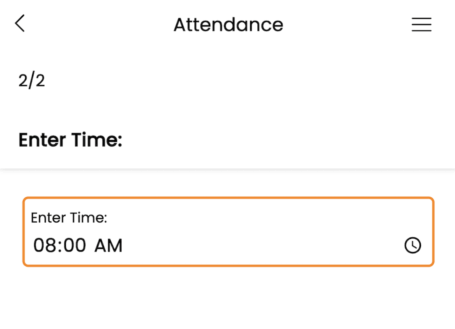
Beyond clocking in and punching out, this HR automation eliminates countless hours spent every week having to manually enter time cards into your payroll system, which is an error-prone process.
Your new time and attendance system can automatically calculate:
- Total hours worked
- Required breaks
- Overtime thresholds
- Direct payroll synchronization
Managers also get real-time visibility into who’s working, who’s late, and who might be approaching overtime thresholds. You can set up instant notifications about attendance issues to stop small problems before they become larger concerns.
2. Leave Request Management
Managing employee time-off requests through email chains or paper forms creates unnecessary friction in what should be a straightforward process.
Automating this HR process through a more robust system streamlines the entire workflow from request to approval while maintaining transparency for everyone involved.
You can give your staff the freedom to submit requests at any time from anywhere through your dedicated employee app.
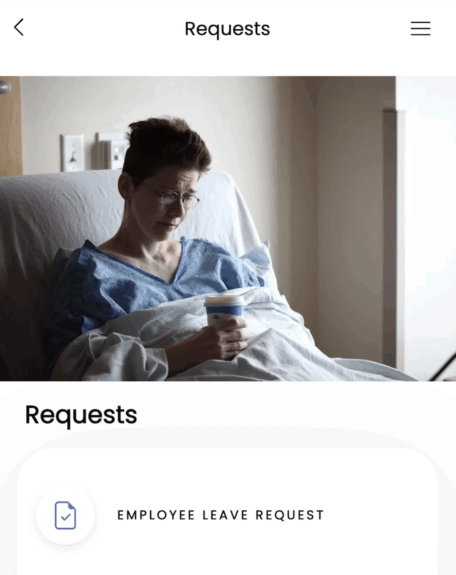
Your staff can check remaining PTO and sick days from the app in real time, automatically. It’s so much more efficient than having to request this information from HR while waiting days for a reply.
Going with a self-service approach eliminates the back-and-forth communication that’s a headache for everyone involved. You can even deliver push notifications to your employees when their leave requests are approved, so they don’t have to check their emails every hour while waiting for a reply.
HR teams and managers can enforce leave policies automatically while preventing scheduling conflicts. Potential coverage issues can also be flagged automatically, and the entire team can stay informed about who’s available to cover shifts and responsibilities when someone is out.
3. Employee Onboarding
The employee onboarding process sets the tone for how your organization operates on day one. It should be fast yet engaging and informative—all while ensuring a consistent experience across every department.
Automating this HR function with a mobile solution provides new hires with all of the necessary information they need before they actually start. New hires can complete the following directly from their smartphones:
- Electronic forms and paperwork
- Company policy reviews
- Welcome and orientation videos
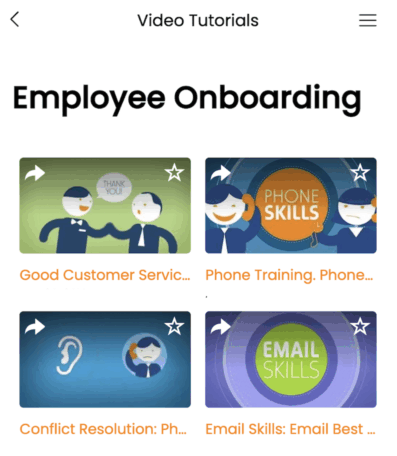
This is a huge win for HR teams who will ultimately get to spend less time processing physical paperwork and benefit from a consistent execution of repetitive tasks.
You can set up your system to track processes through onboarding checklists and automatically trigger follow-up actions as new hires complete sequential steps. Best of all, nothing will slip through the cracks.
4. Employee Training and Development
Beyond the initial onboarding process, it’s important for HR teams to develop employees and provide them with the tools they need for continuous learning. But managing these types of ongoing training programs manually can be overwhelming.
Moving to an automated system puts professional development at your team’s fingertips.
With a mobile-based learning solution, employees can access training materials whenever it best fits their schedule. Whether they’re at their desk, commuting, or working from home, everything from interactive courses to video tutorials, quizzes, and certifications can be accessed through your company’s mobile app.
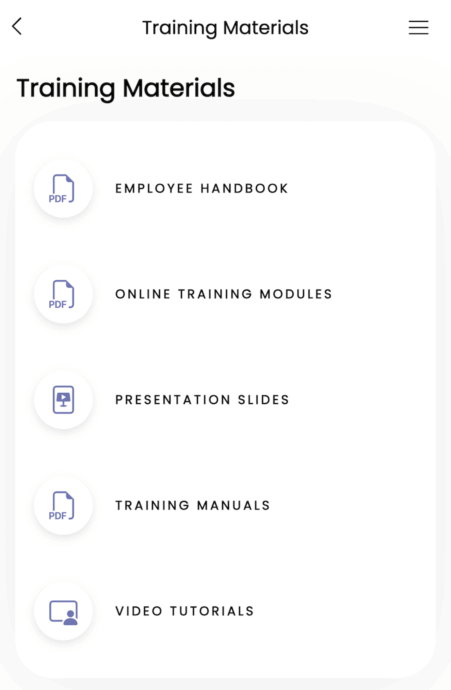
You can even create personalized learning paths for your staff based on roles, experience levels, or career aspirations to ensure the most relevant content reaches the right people.
From an HR and management perspective, automation provides unprecedented visibility into your organization’s skills landscape. You’ll have access to detailed analytics regarding completion rates, assessment scores, and knowledge gaps for each department.
The system can be set up to automatically assign required compliance training reminders before deadlines and issue certificates upon completion.
Read More: How to Create Modules For Employee Training
5. Company News and Announcements
Too many organizations today still rely on mass emails that often go unread when attempting to deliver important information to every employee. This is particularly ineffective in industries where employees aren’t working from a computer or checking emails as part of their day-to-day responsibilities.
If you have field service workers on the road or laborers working on job sites, I highly doubt they’re going to see an email sent to them in the middle of the day. Checking emails when they get home after work probably isn’t a top priority for them, either.
Delivering company news and time-sensitive announcements through automated push notifications is far more effective. You can also set up a centralized announcement hub within your internal communications app to provide even more visibility.
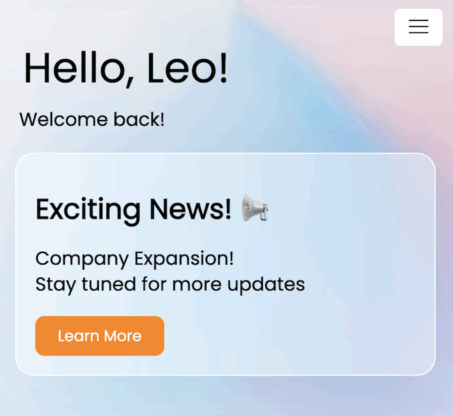
HR departments have tons of flexibility with how this communication system is set up.
Certain announcements can be scheduled in advance
HR process automation improves productivity organization-wide. It prevents burnout within your human resources department while making HR interactions more efficient for every employee.
There are lots of tools on the market to address these automations individually, but they require you to purchase separate products and onboard your staff to everything. This isn’t very efficient and is counterproductive to what you’re trying to accomplish (plus it’s expensive).
Some dedicated HR software can provide numerous solutions from a single system. But these tools can be rigid, and you’re limited by the platform’s capabilities.
Creating your own internal employee mobile app is the optimal solution. It’s the easiest way to give every employee full access to HR resources 24/7 from anywhere while giving you limitless customization capabilities for other features.
You can integrate the app with other tools, set up instant messaging, and add other features that are beyond the scope of HR.
With platforms like Buildfire, you don’t need to spend a fortune and have an in-house team of developers to make this happen. You can build it yourself using our no-code app builder or let us handle it for you. Start your 30-day free trial today or book a free demo to learn more.
Frequently Asked Questions
What are the benefits of automating leave request management?
Automating leave request management reduces friction by allowing employees to submit requests anytime, anywhere.
How does automation enhance employee onboarding?
Automation in onboarding ensures a consistent experience by providing new hires with necessary information via mobile apps.
What role does automation play in employee training?
Automation facilitates continuous learning by providing access to training materials on mobile devices. This approach allows employees to engage with content at their convenience.
How can companies improve internal communication with mobile apps?
Companies can enhance internal communication by using mobile apps to send push notifications and centralize announcements, ensuring all employees receive timely updates.