

Having a bug tracking system is essential for any app development project to succeed. Without a system in place, tracking and fixing bugs can quickly become overwhelming and lead to costly delays.
This ultimate guide explains how to make a bug tracking system for mobile development and explores the best practices for using one effectively. We’ll also cover the different types of bug tracking systems available, how to set up a system that fits your specific needs, and provide tips for integrating a bug finder into your mobile development process.
By the end of this article, you’ll have the knowledge and tools necessary to create and implement an efficient bug tracking system for your mobile development team.
Key Takeaways
- Importance of Bug Tracking: A structured system prevents overwhelming bug management and costly delays.
- Types of Systems: Understand the four main types: open-source, commercial, cloud-based, and in-house.
- Choosing the Right System: Evaluate your team’s specific needs and resources to select the best fit.
- Customization Needs: Determine the level of customization required for your project.
- Integration Tips: Learn how to seamlessly integrate a bug tracking system into your mobile development process.
Types of Bug Tracking Systems
Bug tracking systems are critical tools for developers to track issues and errors within software. There are four main types of bug tracking systems—open-source, commercial, cloud-based, and in-house. Each type has its own unique features and benefits that make them well-suited for specific use cases.
Selecting the right bug tracking system depends on the specific needs and resources of your development team. It’s important to carefully evaluate each option and choose a system that fits your team’s workflow and requirements.
Open Source Bug Tracking Systems
Open-source bug-tracking systems are free and offer a flexible and customizable approach to tracking bugs. They’re typically developed and maintained by a community of developers and offer a range of features like issue tracking, reporting, and collaboration tools.
One advantage of open source bug tracking systems is flexibility—as they can be tailored to fit the specific needs of a development team. However, since they are community-driven, support and updates can vary, and customization may require additional technical knowledge.
Pros:
- Free to use
- Customizable to fit specific needs
- Large community support
Cons:
- Support and updates may vary
- Customization may require additional technical knowledge
- Limited customer support options
Commercial Bug Tracking Systems
Commercial bug tracking systems are paid solutions that offer advanced features and support. These systems are designed to be user-friendly and offer robust functionality, such as automated bug detection and integration with project management tools.
Jira is a popular option that’s used by app developers and software teams.
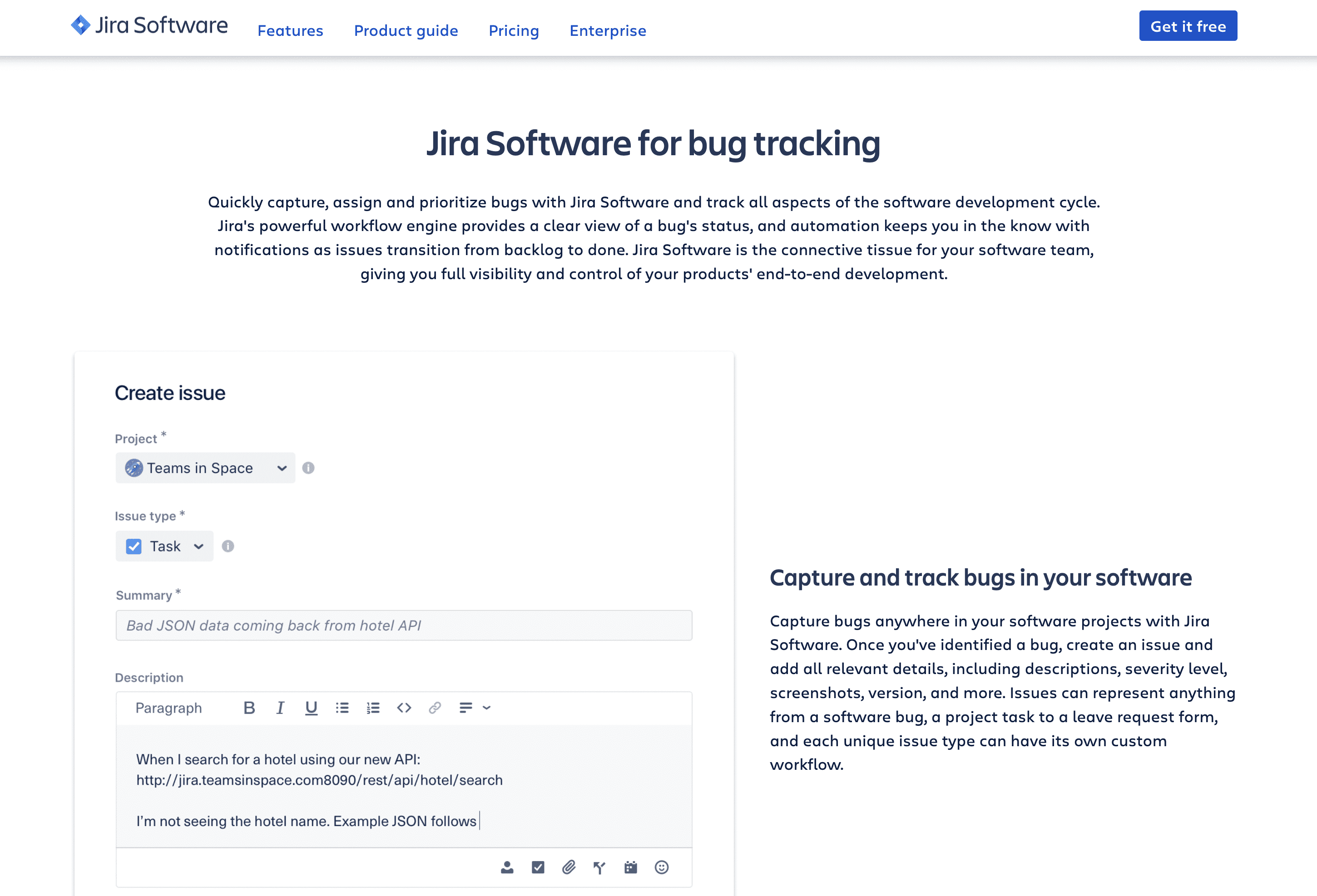
It’s a project management solution, but it has built-in features for bugs and issue tracking.
While these systems can be costly, they offer reliable support and updates and may be a worthwhile investment for larger development teams.
Pros:
- Advanced features and support
- User-friendly interface
- Reliable support and updates
Cons:
- Can be costly
- May have limited customization options
- Limited community support
Cloud-Based Bug Tracking Systems
Cloud-based bug tracking systems are hosted on remote servers and accessed through a web browser.
These systems offer the convenience of accessibility from anywhere with an internet connection and often come with additional features such as automatic backups and security measures. However, they can be subject to internet connectivity issues and may require ongoing subscription fees.
Pros:
- Accessible from anywhere with an internet connection
- Additional features like automatic backups and security measures
- Scalable pricing options
Cons:
- Subject to internet connectivity issues
- Ongoing subscription fees may be required
- Limited customization options
In-House Bug Tracking Systems
In-house bug tracking systems are created and maintained internally by a development team. These systems offer complete control and customization options but require significant technical knowledge and resources to set up and maintain.
For example, Apple has its own internal bug tracking system called Radar.
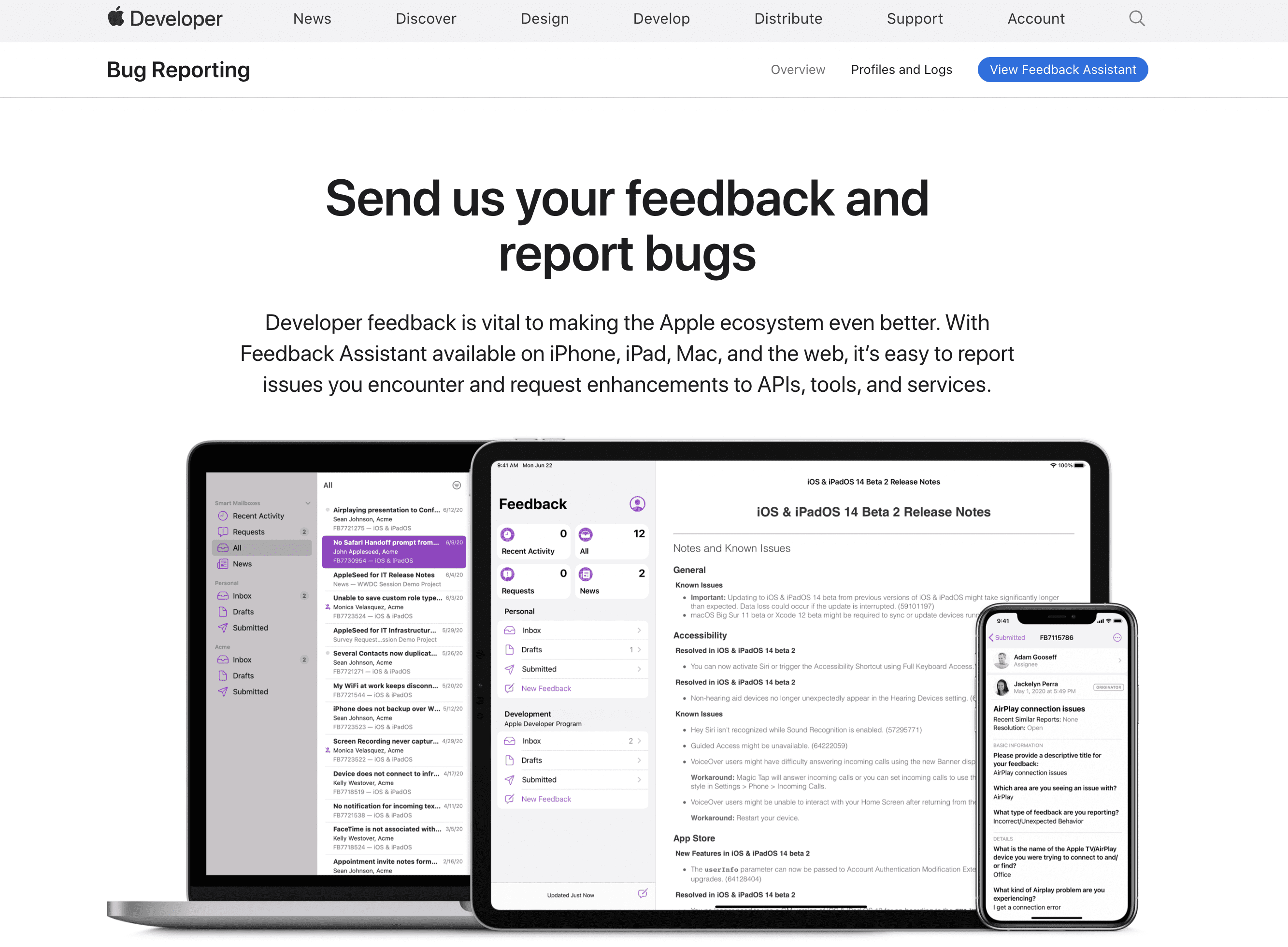
Anyone within the Apple developer community can use it to report problems and send feedback.
They can be a good choice for larger development teams with the necessary resources to build and maintain their own system—which a company like Apple obviously does.
Pros:
- Complete control and customization options
- No ongoing subscription fees
- Can be tailored to fit specific needs
Cons:
- Requires significant technical knowledge and resources to set up and maintain
- Limited support options
- May not be scalable for larger development teams
Setting up a Bug Tracking System for Mobile Development
A bug tracking system is a vital tool for any mobile development team to manage and track software bugs effectively. However, setting up such a system can be daunting if you don’t know where to start. The following steps will guide you through the process of setting up a bug tracking system for mobile development, from defining your requirements to testing the system.
By following these steps, you’ll be able to set up a bug tracking system that meets the specific needs of your mobile development team, improves collaboration, and streamlines the bug-reporting process.
Step 1 – Define Your Requirements
To define your requirements, you need to consider the scope of the project and identify the specific needs of your development team. Start by assessing the size of your team and the project, as this will impact the number of users that will need access to the system. If you have a large development team, you may need a bug tracking system that supports multiple users and provides collaboration tools.
It’s also important to identify the type of project you’re working on, as the requirements may vary based on this answer. Some bug tracking systems are designed for specific industries, such as healthcare or finance, while others are more general-purpose. Consider if you need a system that supports a specific programming language or integrates with other tools, such as project management software.
For example, if you’re working on a healthcare mobile app, you may need a bug tracking system that supports HIPAA compliance requirements. This would require a system with advanced security features and customizable workflows to ensure that you’re adhering to HIPAA regulations.
You should also consider the level of customization needed for your project. Some bug tracking systems are highly customizable, while others are more rigid in their workflow. Identifying the level of customization you need is crucial to ensuring that the system fits your development team’s workflow.
By defining your requirements early on, you can narrow down the available options and choose a bug tracking system that meets your specific needs.
Step 2 – Choose a Bug Tracking System
With so many bug tracking systems available, it can be overwhelming to decide which one to choose. To make an informed decision, consider factors such as cost, features, and compatibility with your existing tools and systems.
In terms of cost, some systems offer a free version with limited features, while others require a paid subscription for access to advanced features. While cost shouldn’t be the only factor you consider, it’s essential to choose a system that fits within your budget.
| Factor | Option 1 | Option 2 |
|---|---|---|
| Cost | Free version with limited features | Paid subscription for advanced features |
| Features | Basic features like issue tracking | Advanced features like automated bug detection and integration with project management tools |
Another factor to consider is the features of the bug tracking system. Consider which features are essential for your team’s workflow and make sure that the bug tracking system you choose offers those features. For example, some systems like Zoho Bug Tracker offer basic features such as issue tracking. Other tools offer more advanced features such as automated bug detection and integration with project management tools.

You should also consider the bug tracking system’s compatibility with your existing tools and systems. If you’re already using project management software, make sure that the bug tracking system you choose integrates with that software to streamline your workflow.
Let’s say you’re working on a large mobile development project with a complex workflow. You may need a bug tracking system with advanced features such as automated bug detection and custom reporting. You’ll also want to make sure that the system integrates with your existing project management software to ensure a seamless workflow.
This is an important step, so don’t rush through it. The right bug tracking system can ultimately help improve team collaboration, increase productivity, and streamline your bug reporting process.
Step 3 – Customize the System to Fit Your Needs
The purpose of this step is to ensure the system fits seamlessly into your team’s workflow. This may involve configuring the system’s settings, adding custom fields, or creating new workflows.
By customizing the system, you can streamline your bug reporting process and ensure that bugs are reported consistently.
Start by identifying the specific workflows and requirements of your team. Consult with your team members to get a sense of their needs and preferences. Once you have a good understanding of your team’s requirements, you can begin configuring the system’s settings and workflows to match your team’s workflows.
One way to customize the system is by adding custom fields. This can help you track specific information related to your projects, such as the severity level of a bug or the environment in which the bug occurred. By adding custom fields, you can ensure that bugs are reported consistently and that they’re properly prioritized based on their severity.
Another way to customize the system is by creating custom workflows. This can help you match your team’s bug reporting process and ensure that bugs are being reported and tracked accurately. For example, you may want to create a workflow that involves a developer reviewing a bug report before it’s marked as “closed.”
Step 4 – Train Your Team to Use the System
Properly training your team to use the bug tracking system is crucial to ensuring that everyone is using the system correctly. This may involve creating training materials, providing hands-on training, and answering any questions your team may have. This gets everyone on the same page and ensures they’re using the system effectively.
Create training materials explaining how to use the bug tracking system, how to report bugs, and how to view and manage reported bugs. If necessary, you can also provide hands-on training to your team, walking them through the process of reporting and tracking bugs.
It’s also important to encourage your team members to ask questions and provide feedback. This can help you identify areas where your team may be struggling with the system and make adjustments to improve the user experience.
Step 5 – Test the System
To test the system, start by creating test scenarios and simulating bug reports.
Then you can verify that the bugs are being reported correctly and that the system is tracking them accurately. Additionally, you may want to test the system’s performance and scalability to ensure that it can handle a large number of bug reports.
For example, you can use Xcode to test your iPhone apps and deploy a debugger.

Then you can add any bugs in the reports to your system, set up your automations, and try to move the issue through your flow.
It’s important to involve your team members in the testing process to ensure that the system is meeting their needs. Encourage them to report any issues or bugs they encounter during the testing process. This can help you identify any issues with the system and make adjustments to improve its functionality.
Best Practices for Mobile Development Bug Tracking
Effective bug tracking is crucial to ensuring the success of a mobile development project. But simply setting up a bug tracking system isn’t enough to guarantee success.
To track and manage bugs successfully, it’s important to follow best practices that can help ensure that bugs are being reported and fixed in a timely and efficient manner.
- Consistent Bug Reporting — Consistency is key when it comes to bug reporting. It helps ensure that all bugs are reported in a consistent manner, with clear and detailed descriptions of the issue. This makes it easier to prioritize bugs and assign them to the right team member.
- Prioritizing Bugs — Not all bugs are created equal. It’s important to prioritize bugs based on their severity and impact on the project. Critical bugs that impact the functionality of the app should be given top priority, while minor bugs that don’t affect the overall functionality of the app can be addressed later.
- Assigning Bugs to the Right Team Member — It makes sense to assign bugs to team members based on their skills and expertise. For example, if a bug involves a specific feature of the app that requires knowledge of a particular programming language, it should be assigned to a team member with experience in that language.
- Setting Deadlines for Bug Fixes — Setting deadlines for bug fixes can help ensure that bugs are fixed in a timely manner. It’s important to set realistic deadlines that take into account the complexity of the bug and the workload of the team member assigned to fix it. Deadlines can also help ensure that bugs are properly prioritized and don’t fall through the cracks.
- Regularly Reviewing and Updating Bug Status — Someone must be held responsible for viewing the status of bugs to ensure that they’re being addressed in a timely manner. Updating the status of bugs can also help ensure that everyone on the team is aware of the progress being made and any updates to the status of the bug.
By following these best practices, you can ensure that your bug tracking process is effective and efficient.
However, it’s important to keep in mind that bug tracking is an ongoing process that requires constant attention and monitoring. Regularly reviewing and updating your bug tracking process can help ensure that you’re addressing bugs appropriately—and, ultimately, delivering a high-quality mobile app.
Integrating Bug Tracking into Your Mobile Development Process
Bug tracking is an essential aspect of mobile app development that helps developers catch and address issues throughout the development process. Integrating bug tracking into your development process can help streamline workflows and improve the quality of the final product.
First, it’s important to determine how bug tracking fits into your mobile development lifecycle. Consider when and where bugs are likely to arise and how they will be addressed throughout the development process. By doing so, you can ensure that your team is prepared to address any issues that arise during development.
Next, integrating bug tracking into your project management tools can help streamline workflows and ensure that everyone on the team is aware of the status of bugs. This can help improve collaboration and communication among team members—ultimately resulting in a better final product. Consider using project management tools that include bug tracking features or integrating your bug tracking system with your existing project management tools.
Automating bug tracking can also be beneficial for mobile development teams. Automated bug tracking tools can help detect and report bugs quickly, reducing the amount of manual work required from the development team. This can help free up time for developers to focus on other important tasks while still ensuring that bugs are being addressed in a timely manner.
Consider setting up regular bug tracking meetings to review the status of bugs and ensure that everyone on the team is aware of the progress being made. Then you can make tweaks to your process based on the team’s feedback and workflow preferences.
| Approach | Benefits |
|---|---|
| Integrating with Project Management Tools | Streamlines workflows, improves collaboration and communication, results in a better final product |
| Automating Bug Tracking | Detects and reports bugs quickly, reduces manual work, frees up developer time |
Final Thoughts
A well-implemented bug tracking system can be a game-changer for mobile app development. By following the best practices outlined in this article, you can ensure that your bug tracking system is effective and efficient—ultimately resulting in a higher-quality final product.
Integrating bug tracking into your mobile development process can also help streamline workflows, improve collaboration among team members, and ultimately lead to a better final product.
By taking the time to implement a well-designed bug tracking system, you can ensure that your team is equipped to handle any issues that arise during mobile app development.
Frequently Asked Questions
Why does a mobile app project need a bug tracking system?
Without a system in place, tracking and fixing bugs quickly becomes overwhelming and leads to costly delays. A structured bug tracking system keeps issues organised so they get resolved before they reach users.
What are the main types of bug tracking systems?
There are four: open source, commercial, cloud-based, and in-house. Each suits a different combination of budget, control, and technical resources.
What is the first step in setting up a bug tracking system?
Define your requirements. The size of your team and project, the industry you work in, and how much customisation you need all shape which system fits — so settle those before you choose a tool.
Do bug tracking systems for mobile need specific features?
Yes. Look for issue tracking, reporting, and collaboration tools at minimum, plus integration with the rest of your mobile development workflow so bugs move smoothly from report to fix.