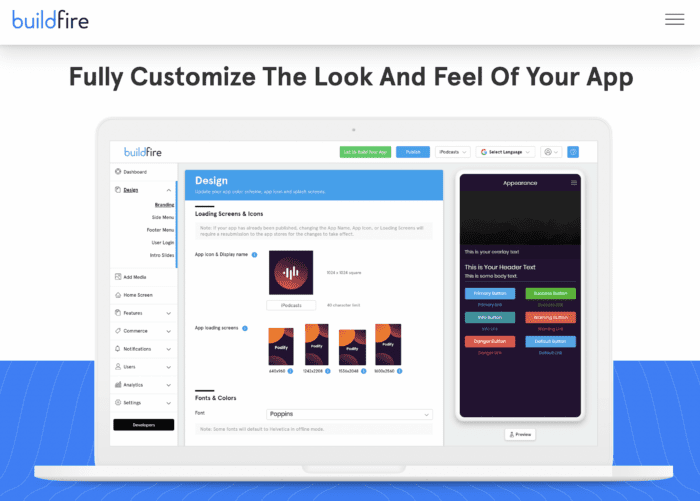
If you want to create mobile apps without writing code, an app maker is your best option.
An app builder makes it easy for business owners and entrepreneurs to create apps at a fraction of the cost compared to traditional development. You can also get your app to market quickly, in days or weeks, as opposed to months or years.
There’s just one problem—the marketplace is flooded with different app makers. Finding the best app maker for your and your unique situation can be challenging, especially if you’ve never gone through this process.
That’s why we created this guide. You can use the criteria below to evaluate the best app builders by weeding out the bad options and narrowing down the serious contenders.
Key Takeaways
- App Maker Benefits: App makers allow non-technical users to create apps quickly and affordably.
- Market Challenge: The abundance of app makers can make choosing the right one difficult.
- Evaluation Criteria: Use specific criteria to filter and select the best app builder for your needs.
- Cost vs. Value: Consider the value offered by app makers, not just the price.
- Feature Flexibility: Ensure the app maker supports future growth and feature expansion.
What is an App Maker?
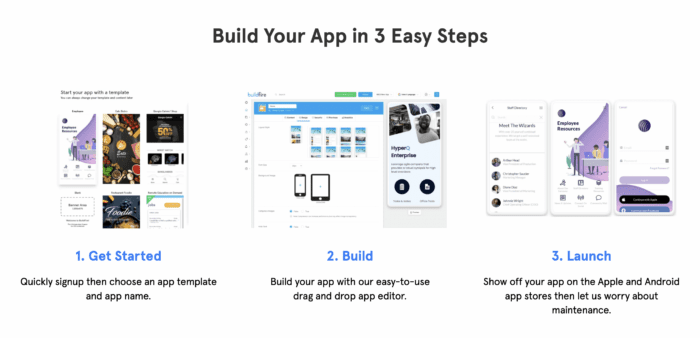
App maker software is designed to create mobile apps without any code. Anyone can use an app builder to create their own app for the Apple App Store and Google Play Store.
Historically, mobile app development required specialized skills and developers. Only those who were fluent in writing code in specific programming languages could create an application. Those who didn’t possess these skills either had to learn them or hire people to create the app.
But app makers bridge the gap to app development for non-technical users.
All of the technical specifications of the app are handled on the backend of the software. You just need to tell the app builder what features and functions you want included in the app using drag-and-drop technology or plugins.
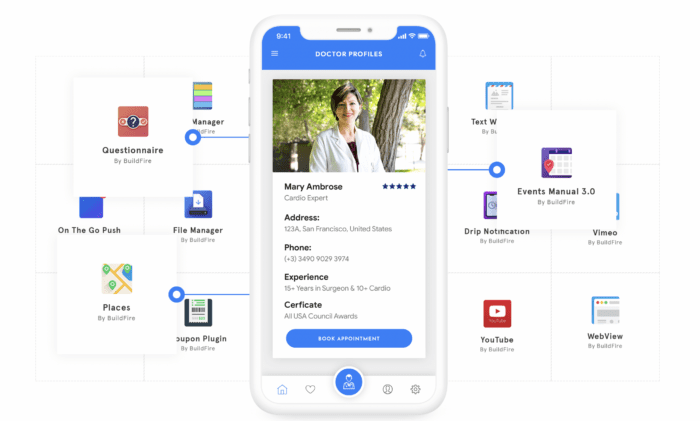
Some of you reading this right now are already familiar with how this works. Lots of small business owners and entrepreneurs use website builders to power their sites. App makers use the exact same concept, except the end result is a mobile app instead of a website.
Check out our list of the best app building software to see some examples.
Benefits of Using an App Maker to Create Mobile Apps
Why should you use an app maker?
There are significant advantages to using an app builder compared to traditional development. Examples include:
- No coding or technical skills required
- You don’t need to hire and manage a development team
- Faster path to app launch
- It’s much cheaper to use an app maker
- There’s virtually no learning curve
- You can work on your app from anywhere without downloading software
- It’s easier to make changes and update the app
- All of the backend infrastructure is managed for you
- Build for iOS and Android at the same time
Overall, app makers provide a faster and stress-free development experience—saving you tens of thousands of dollars.
Just be aware that if you’re planning to build a gaming app, VR/AR app, or app that’s highly graphics intensive, an app maker might not be the best option to consider. But for any other type of mobile app, app builders get the job done great and your end-users won’t know the difference.
What to Look For in an App Builder
There are certain factors you should be using to evaluate app makers and compare them side-by-side. Use the criteria below as a buying guide to help you determine if a prospective app builder meets the specifications for your project and needs:
Simplicity
The first thing you need to consider is the ease of use. That’s one of the main reasons you’re considering this method for your mobile app.
If it’s going to take you weeks or months just to learn how the app development platform works, then the software is likely too complicated. Buying for client work? Compare white label app builder options instead.
Don’t get me wrong. An app maker is like any other piece of software. There’s going to be a slight learning curve the first few times you’re using it. Even Facebook or Instagram took a few sessions for you to learn where everything was on the app.
Finding an intuitive app builder with a user-friendly interface needs to be a priority. So take advantage of any free trials offered by the platform to get a feel for how it works. You’ll know within a week or two if the software can accommodate your needs or if it’s just too complex for your skill level.
Cost
There will obviously be a cost variation between the platforms you’re considering. Even within a specific platform, you’ll likely see different subscription options—each with more features and functions at different tiers.
Don’t like price alone drive your decision. Instead, look at the value you’re getting.
| Feature | App Maker A ($200/month) | App Maker B ($350/month) |
|---|---|---|
| Platform Support | Android only | iOS and Android |
| App Analytics | Basic | Advanced |
| Security | Standard | Enhanced |
| Plugins | Limited | Premium |
For example, you might find an app builder on the market for $200 per month and another one for $350. But if the $200 plan only lets you create an Android app and you want to build for iOS and Android, then that’s useless for your project.
The best app makers let you create a mobile app for iOS, Android, tablets, and PWA (progressive web apps). They also come with app analytics, built-in security, access to premium plugins, push notifications, and more.
You should also consider the level of service and support you’re getting if you need some help or want something customized. You’re probably not going to get that from a free app builder. So spending a little bit more today can actually help you out tremendously in the long run.
Features and Functionality
What type of app are you building? What do you want your app to do?
You need to know the answer to these questions as you’re comparing platforms.
Let’s say you want to create a mobile app to manage memberships for your gym. Or maybe you’re creating an app for internal employee communication. Does the no-code app builder you’re considering have the functionality you need to make this possible?
Don’t just look at what your app will be when it launches. You also need to make sure the app builder offers the functionality you need as your app grows down the road.
Buildfire has more than 150+ plugins that you can use to easily add features to your app with a single click. From appointment scheduling to videos, maps, push notifications, and more, we have you covered.
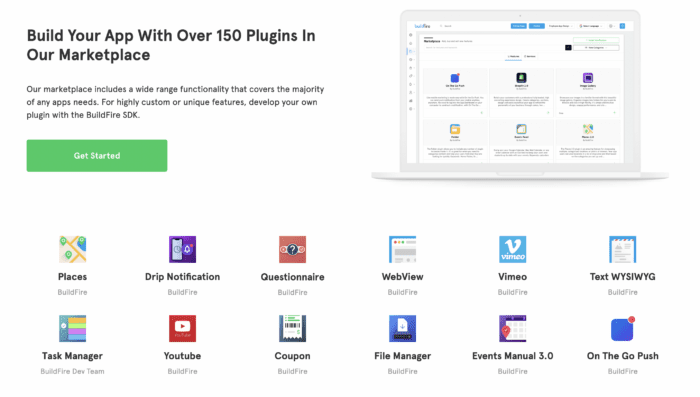
The best part about Buildfire, compared to other app makers, is its limitless functionality.
If you have a unique or custom feature idea that isn’t available in our plugin marketplace, it’s no problem—our in-house development team can create it for you. So you’ll never outgrow the platform.
Compatible Platforms
Where do you want to launch your native mobile apps?
With traditional development, you need to code separate versions of your app for each operating system. Your iOS app and Android app are essentially two different projects, both requiring different developers to complete the job.
But app builders let you create multiple apps for each platform with a single build. So just make sure the software you’re considering has that option.
At a minimum, it should offer iOS and Android versions. But the best tools provide you w
For example, the homepage of an educational app probably shouldn’t be too similar to the homepage for a religious app. An ecommerce app should have a different design from an event planning app.
| App Type | Design Consideration |
|---|---|
| Educational App | Should not be similar to a religious app |
| Ecommerce App | Should have a different design from an event planning app |